

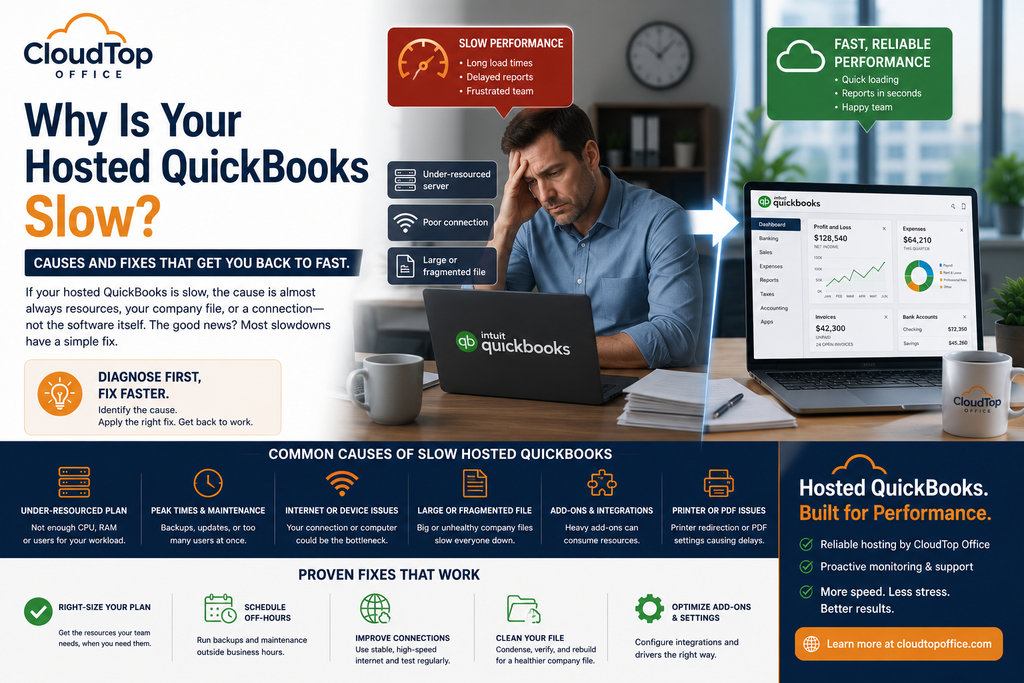
If your hosted QuickBooks is slow, the cause is almost always resources, your company file, or a connection, not the software itself. That is good news, because each of those has a clear fix, and most take minutes rather than a support ticket that drags on for days. The trick is to diagnose before you change anything: a slowdown that hits everyone points somewhere very different from one that hits a single user. This guide walks you through finding the cause, a quick troubleshooting run-through, and who fixes what, so you can get back to fast. Before you assume you picked the wrong host, run the checks below, since most slowdowns have a cause you can name in a few minutes.
First, find the cause
Match your symptom to the likely cause before reaching for a fix. This table covers the slowdowns hosted QuickBooks users hit most.
A quick troubleshooting run-through
The single most useful move is the first one: is it everyone or one person? A whole-office slowdown is almost always about shared resources or the file, both fixable at the source. A one-person slowdown is almost always local, their Wi-Fi, their laptop, or a weak connection, and no amount of server tuning will fix a weak link at the desk.
If the table did not pin it down, work through these in order. Each step rules something out, so you narrow the problem instead of guessing.
- Is it everyone or one user? That single question splits the problem into the host’s side or the local side.
- Test the connection. Run a speed test on the slow user’s network, and try another network or device to compare.
- Check the timing. Note whether the slowness lines up with backups, antivirus scans, or your busiest hours.
- Look at the file. Check its size, then run Verify to catch data issues that drag performance down.
- Review users and add-ons. Compare how many people and integrations are active against what your plan provides.
- Call your host. If it persists, ask them to right-size your resources or move you to a dedicated server.
Most slowdowns reveal themselves by step three or four. If you have checked the connection, the timing, and the file and things are still sluggish, you are almost certainly looking at a resources question, which is a quick conversation with your host rather than a mystery to solve alone. Working in order also means you never change three things at once and lose track of which one actually helped.
What you control, and what your host does
Some causes are yours to fix, and some belong to the host. Knowing which is which saves a lot of time, because chasing the wrong side is the most common way firms lose a week to a slowdown.
When it’s time to size up
If you have condensed the file, ruled out individual connections, and moved maintenance off-hours, but QuickBooks still crawls with everyone in it, you have simply outgrown your current resources. That is not a failure, it is a sign the business grew. The fix is a bigger plan or a dedicated server that reserves capacity for you alone, so a busy day stops feeling like a traffic jam. A good host will look at your file, users, and add-ons and tell you honestly whether you need more resources or just a cleaner file, rather than selling you up by default. A firm that ran fine on a shared plan two years ago at four users can feel the strain at eight, or after adding an inventory add-on that doubled its file. Nothing broke; the load simply outgrew the plan, and the fix is matching one to the other. See how the environment is built on our QuickBooks Desktop hosting page, or get a personalized quote sized to your actual load.
Slow QuickBooks questions
Why is my hosted QuickBooks slow?
Usually resources, your company file, or a connection, not the software itself. Start by checking whether it is slow for everyone or just one user, which points you toward the host side or the local side and saves you chasing the wrong fix.
Is it my internet or the host?
If only one person is slow, it is usually their internet or device. If everyone is slow, the cause is more likely the server resources or a heavy company file. Testing a second network or device quickly tells you which.
Does condensing my file help speed?
Often, yes. A large or fragmented file slows opening, saving, and reporting. Condensing it and running Verify and Rebuild clears up data issues that quietly drag performance down, and it is worth doing before you assume you need more resources.
When should I move to a dedicated server?
When you have cleaned the file and ruled out connections, but it is still slow with many users at once. Dedicated resources reserve capacity for you alone, which removes the contention that causes that kind of slowdown.
Can add-ons slow QuickBooks down?
Yes. Heavy integrations that run against the file all day consume resources, so a new add-on can be the reason things slowed down. The environment should be sized to include them, and the add-on’s own settings are worth a look too.
Still slow after all that?
A 15-minute call is enough to pinpoint the cause and size your setup so hosted QuickBooks runs fast again.
Book a 15-min consult QuickBooks Hosting and Tax Season: How to Avoid Lag When It Matters Most
Leave a Reply