

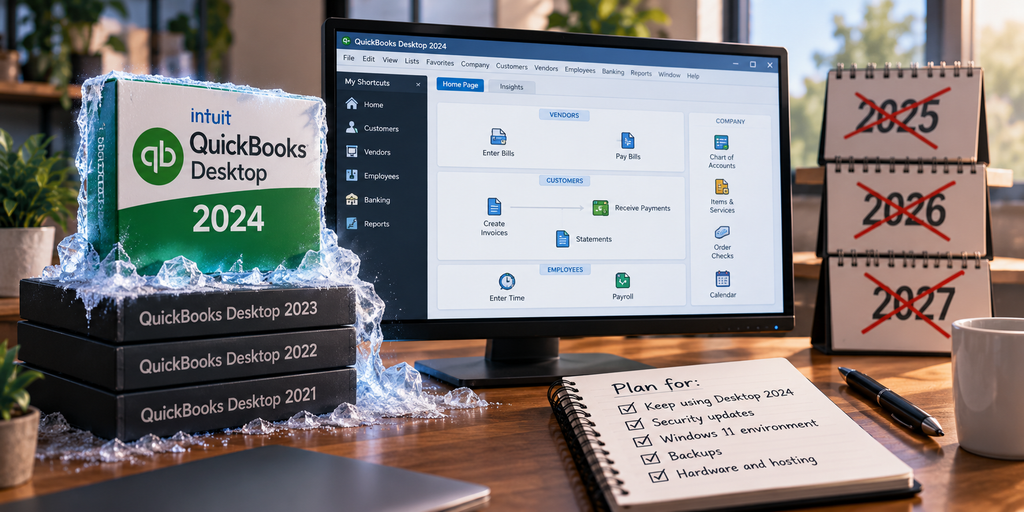
QuickBooks Desktop 2024 is the last version. Intuit has confirmed that Desktop Plus 2024 and Enterprise 24.0 were its final annual platform releases, and that it has moved to a model of continuous in-product updates instead of a new version every year. There is no 2025, no 2026, and none planned. If you run Desktop, that sounds alarming at first and turns out to be more manageable than the headline suggests. This is what “no new versions” actually means, why a frozen product can be perfectly workable, and the one thing worth planning around.
What “no new versions” actually means
It helps to separate what has stopped from what continues, because the two get blurred into a single scary word. Intuit changed how it ships QuickBooks Desktop, not whether it supports it. The annual version cycle is over, and the product’s development energy has shifted to QuickBooks Online, which is where new features now land first. At the same time, Desktop 2024 and Enterprise still receive security and maintenance updates, and Intuit dropped the 2027 sunset it had previously planned for the 2024 release. So the accurate picture is a stable, supported product that is no longer evolving, rather than one being switched off.
Why a frozen product can be fine
There is an assumption that software must keep gaining features to be worth using, and for a lot of businesses that is not true. Many firms chose QuickBooks Desktop precisely because it does what they need, the way they are used to, with the depth, the add-ons, and the reporting they rely on. For those firms, “no new features” is not much of a loss, because they were not waiting on new features in the first place. A product that stays exactly as it is, keeps getting security updates, and has no forced migration hanging over it is a reasonable thing to plan a few years around. The honest point is that frozen and unsupported are different states, and Desktop 2024 is the first, not the second.
None of that is a reason to ignore QuickBooks Online, which is where Intuit is putting its development effort and may suit some businesses better over time. But the decision to move should be about whether the online product fits how you work, not about a fear that Desktop is about to stop running. It is not.
What actually needs planning: the environment around it
This is the part worth your attention. The application is now the stable thing in the picture; everything around it keeps moving. Windows versions change, and Windows 10 already reached end of support, so Desktop needs to run on Windows 11. Security requirements tighten every year. The hardware the software runs on ages and eventually fails. Backups still have to happen and still have to be tested. So the planning task for a frozen product is not the product at all. It is keeping its environment current, patched, and backed up over the years you intend to keep running it. A business that commits to Desktop 2024 for the long haul is really committing to maintaining everything underneath it. Left to a single office PC, that maintenance quietly becomes your job: the patching, the backup checks, the eventual hardware swap, none of which the frozen software will remind you to do.
Where hosting fits
This is where a frozen product and hosting actually suit each other. When you commit to running Desktop 2024 for years, the moving parts around it, the operating system, the security, the hardware, the backups, are exactly what a hosted environment takes off your plate. Your licensed Desktop runs on a maintained, current Windows server that someone keeps patched, backed up, and secured, so the stable application you have chosen keeps running cleanly without you chasing OS upgrades or replacing aging machines to support it. Hosting does not add features to a frozen product, and it does not need to. It keeps the surroundings healthy so the product you have decided to keep stays usable for the long term. You can see how that works on our QuickBooks Desktop hosting page, and we cover the operating-system side in our note on Windows 11 for firms running QuickBooks.
QuickBooks Desktop version questions
Is QuickBooks Desktop 2024 really the last version?
Yes. Intuit has confirmed that Desktop Plus 2024 and Enterprise 24.0 were its last annual platform releases, and that it now delivers continuous in-product updates instead of a yearly version. You get security and maintenance updates, but there is no 2025 or 2026 version.
Does “no new versions” mean Desktop is unsupported?
No. Intuit continues to support Desktop 2024 and Enterprise with updates, and it dropped the 2027 sunset date it had previously planned. The product is stable and supported, just not gaining new annual releases or major new features, which go to QuickBooks Online instead.
Should I switch because no new versions are coming?
Not on its own. If you rely on Desktop’s depth and are not waiting on new features, a stable, supported product is often exactly what suits you. A move to QuickBooks Online should be about whether it fits how you work, not a fear that Desktop will stop running, which it will not. The real task is keeping the environment around Desktop current.
Planning to run Desktop for the long haul?
A 15-minute call is enough to see how hosting keeps the environment around your Desktop current, so a stable product keeps running cleanly.
Book a 15-min consult
Leave a Reply