

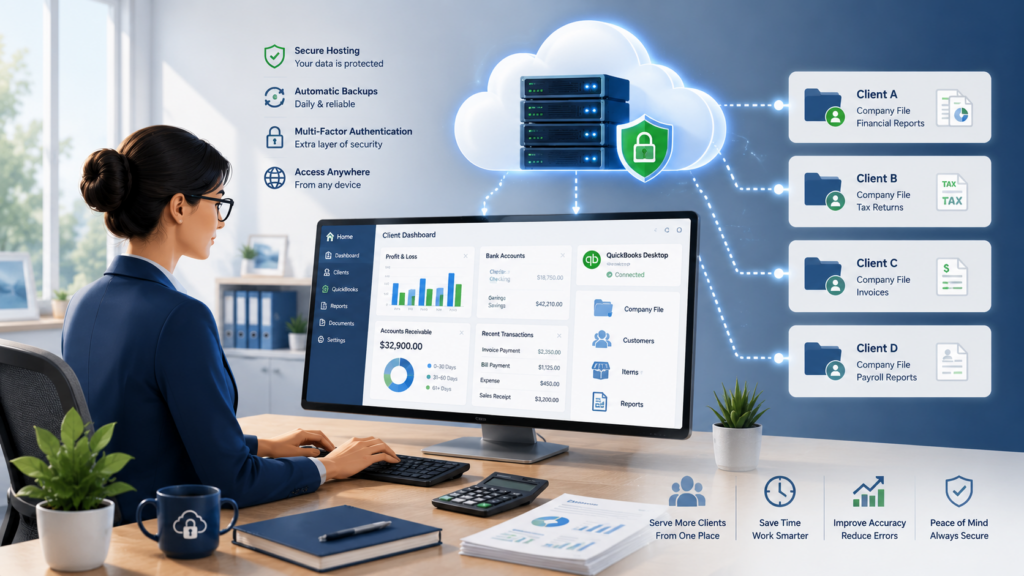
QuickBooks hosting for accountants puts your client files on a secure cloud server your whole team reaches from any device. Instead of one office machine holding the data while everyone fights over access, your firm works from the same hosted QuickBooks: many client files in one place, several people in at once, and the performance to get through tax season without a server melting down in March. It also gives you the security controls a firm handling client financial data is expected to have. Here is how hosting handles the three things accounting firms care about most.
- ✓Every client file on one server
- ✓Several staff in a file at once
- ✓Switch clients without moving data
- ✓Sized for peak-season load
- ✓No office server to crash in March
- ✓Work late from home or the office
- ✓Daily backups, MFA, encryption
- ✓U.S. Azure data center
- ✓Supports your FTC Safeguards plan
Every client file in one place
Most firms do not run one set of books, they run dozens. Hosting puts every client company file in a single workspace, so any staff member opens the file they need and switches between clients without emailing databases around or asking who has a file open. Multi-user access means two or three people can work the same client at once during a crunch, and a new hire or a remote contractor logs in exactly the way everyone else does. There is no VPN back to an office box and no local copy drifting out of sync. Our QuickBooks Desktop hosting runs the full Desktop or Enterprise product, so the multi-user and reporting features your firm depends on come with it.
It also cleans up the messy parts of managing many clients. There is no version confusion from files passed around by email, no waiting for someone to close a company file, and a clearer record of who touched what. For a growing firm, adding a seat is a quick change rather than another PC to buy and configure.
Ready when tax season hits
Your busiest weeks are the worst possible time for lag, and that is exactly when an aging on-premises server tends to buckle. A hosted environment is sized for the load, so multi-user files stay responsive while the whole team is heads-down in returns. If a workstation dies mid-March, you log in from another machine and keep going, because the data never lived on that device. Late nights from a home office are just another login. Firms tell us this reliability is the change they feel most after moving, more than any single feature.
It takes the pressure off your hardware budget too. Rather than over-buying a server for eleven quiet months so it can survive two busy ones, you scale the hosted environment to the work and leave the capacity planning to your host.
Security that meets the FTC Safeguards Rule
Tax and accounting firms fall under the FTC Safeguards Rule, which expects a written information security program, access controls, encryption, multi-factor authentication, and oversight of the vendors that handle client data. Hosting does not replace your own written plan, and no host can make you compliant on its own. What it does is put several of those controls in place and give you a vendor you can name and document. Here is how a hosted setup lines up against what the rule asks for.
FTC Safeguards, and where hosting helps
A host that speaks accounting
CloudTop Office has hosted accounting software since 2000, we are an Intuit Authorized Commercial Host, and our team has direct access to Intuit Tier-3 support, so we fix QuickBooks itself, not just the server it runs on. More than 500 businesses run their software with us, on Microsoft Azure in U.S. regions with managed daily backups, multi-factor authentication, encryption, and 24/7 U.S.-based support. If your firm also runs a CRM, we can host Act! in the same environment, and common setup questions are covered in our QuickBooks hosting FAQ. To see a plan built around your client count, users, and add-ons, get a personalized quote.
QuickBooks hosting for accountants, answered
Can I host multiple client company files?
Yes. You can keep many client company files in one hosted workspace, open any of them from anywhere, and switch between clients quickly. Multi-user access lets several staff work the same file at once.
Will hosting keep up during tax season?
That is the point of it. The environment is sized for peak-season load, so multi-user files stay responsive when the whole team is working. There is no aging office server to crash at the worst moment, and if a workstation fails you simply log in from another.
Does hosting make my firm FTC Safeguards compliant?
Not by itself. Hosting supports several of the rule’s controls, encryption, MFA, backups, and a vendor you can document, but it does not replace your own written information security program. Think of it as a strong foundation you build your plan on.
Can my staff work from home and the office?
Yes. Everyone uses the same login from any device, so a preparer at home and a reviewer in the office are in the same live file. Remote staff and new hires connect the same way as everyone else.
Do you host our add-ons and other apps, like Act!?
Yes. Your QuickBooks add-ons run in the same environment, and we can host other Windows applications your firm uses, including Act! CRM, so your team works from one place instead of several.
Leave a Reply