

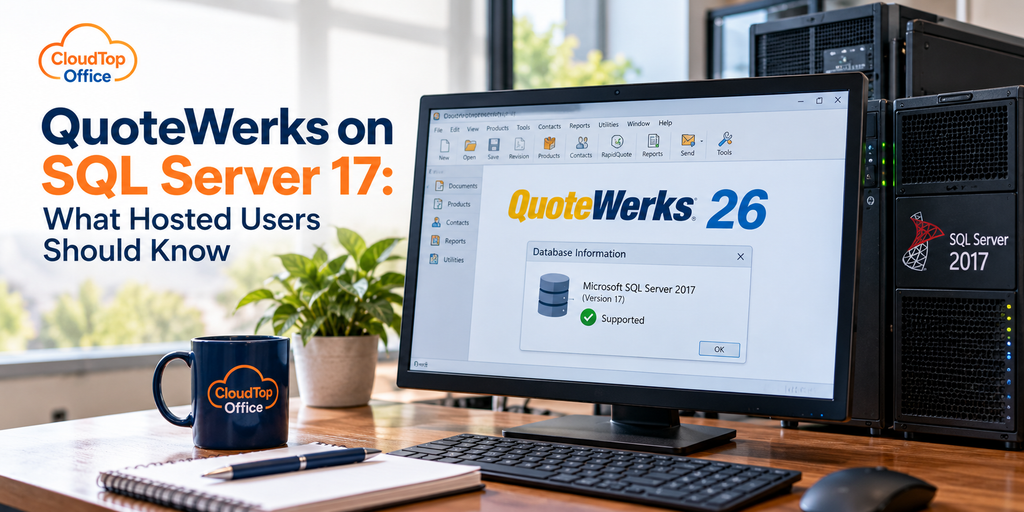
QuoteWerks 26 added support for Microsoft SQL Server 2017, which QuoteWerks labels version 17, and it now checks your SQL version when it starts up. If you run QuoteWerks Corporate Edition on a SQL backend, that is worth understanding. If you host QuoteWerks, the short version is simpler: the SQL Server is part of the environment your host manages, so this is mostly handled for you. The detail below sorts out who the change affects and what, if anything, you need to do.
What changed in QuoteWerks 26
Two things. QuoteWerks 26 added Microsoft SQL Server 2017 to its list of supported database versions, and it now checks the SQL Server version at startup to confirm you are on a supported one. QuoteWerks supports SQL Server across several versions rather than a single one, and the supported list shifts over time as Microsoft retires older releases, so the exact set is worth confirming against QuoteWerks’ current system requirements. The startup check is the part that can catch people off guard, because an environment sitting on an unsupported SQL version will now say so rather than quietly carrying on. For most users this is a non-event; for an older self-managed setup, it is a prompt to make sure the database is on a version QuoteWerks still supports.
Who this actually affects
Only QuoteWerks Corporate Edition uses a Microsoft SQL Server backend, where your quotes and data live in a SQL database. The Standard and Professional editions use a file-based database instead, though Professional and Corporate can link to SQL for product data. So if you are not running Corporate Edition on a SQL backend, this change does not touch your day-to-day at all. If you are, the question is simply whether your SQL Server is on a version QuoteWerks supports, and the startup check now answers that for you.
Why the SQL version matters at all
It is fair to ask why a database version deserves any attention. Two reasons. The first is security. Every Microsoft SQL Server version has a support lifecycle, and once a version falls out of support, Microsoft stops issuing security patches for it. For a database holding your customers, your pricing, and your quote history, running an unpatched, out-of-support SQL version is the kind of gap an auditor or a cyber-insurance questionnaire will flag. The second is compatibility. Software like QuoteWerks certifies against specific SQL versions and drops the oldest ones over time, so staying on a supported version is what keeps future QuoteWerks updates installing cleanly instead of failing a version check. SQL Server 2017 itself has extended support winding down around 2027, which is worth keeping in view even though QuoteWerks now supports it.
How to tell which SQL version you’re on
If you are not sure what your QuoteWerks database runs on, there are a few ways to find out. Inside QuoteWerks, the Help and About screens report system and database details. If you or your IT person can reach the database through SQL Server Management Studio, running the query SELECT @@VERSION returns the exact version and build in a single line. And with version 26, QuoteWerks checks the SQL version at startup, so an unsupported one tends to surface on its own rather than staying hidden until something breaks. If your QuoteWerks is hosted, the simplest route is to ask your host which version you are on, whether it is current, and when they plan to move to the next one. That answer should come back quickly from a host that manages the database properly.
What it means if you host QuoteWerks
This is where it gets easier rather than harder. In a hosted setup, the SQL Server is not something you install, patch, or upgrade. The host runs the database for you, keeps it on a QuoteWerks-supported version, backs it up, and secures it, which means the startup version check is not going to surprise you with a problem you have to solve yourself. When a QuoteWerks release changes which SQL versions it supports, that becomes the host’s task to stay ahead of, not yours. You open QuoteWerks and work; the database layer underneath is maintained in the background.
One honest note on the version itself: SQL Server 2017 is an older Microsoft release, with its extended support winding down, so QuoteWerks supporting it is a floor rather than a target. A well-kept hosted environment may run a newer supported SQL version instead. The point for a hosted user is not which exact version you are on, but that someone is keeping it supported and patched.
If you host QuoteWerks, or you are weighing a host, these are the database questions worth asking so you know the SQL layer is in good hands:
- →Which Microsoft SQL Server version does my QuoteWerks run on?
- →Is that version currently supported by both Microsoft and QuoteWerks?
- →Who applies SQL security patches, and how often?
- →Are the SQL databases backed up, and have restores been tested?
- →When a QuoteWerks release changes supported versions, who handles the upgrade?
A host that answers those cleanly is doing the database work you would otherwise carry yourself. We cover the broader release in our overview of what is new in QuoteWerks Version 26, and the hosting setup on our QuoteWerks hosting page.
QuoteWerks and SQL Server questions
Does QuoteWerks 26 support SQL Server 2017?
Yes. QuoteWerks 26 added support for Microsoft SQL Server 2017, which it refers to as version 17, and it now checks your SQL Server version at startup to confirm it is a supported one.
Do I need SQL Server to run QuoteWerks?
Only the Corporate Edition uses a SQL Server backend. Standard and Professional use a file-based database, though Professional and Corporate can link to SQL for product data. If you are not on Corporate with a SQL backend, this change does not affect you.
If I host QuoteWerks, do I manage the SQL Server?
No. In a hosted setup the SQL Server is part of the environment the host installs, patches, upgrades, backs up, and keeps on a QuoteWerks-supported version. You use QuoteWerks, and the database layer is maintained for you in the background.
Which SQL Server versions does QuoteWerks support?
QuoteWerks supports Microsoft SQL Server across several versions, and version 26 added 2017 to that list. The exact set changes over time as Microsoft retires older releases, so check QuoteWerks’ current system requirements, or in a hosted setup, confirm with your host that your version is supported.
Running QuoteWerks Corporate on SQL?
A 15-minute call is enough to see how hosting handles the SQL backend, backups, and version support, so you don’t have to.
Book a 15-min consult
Leave a Reply