

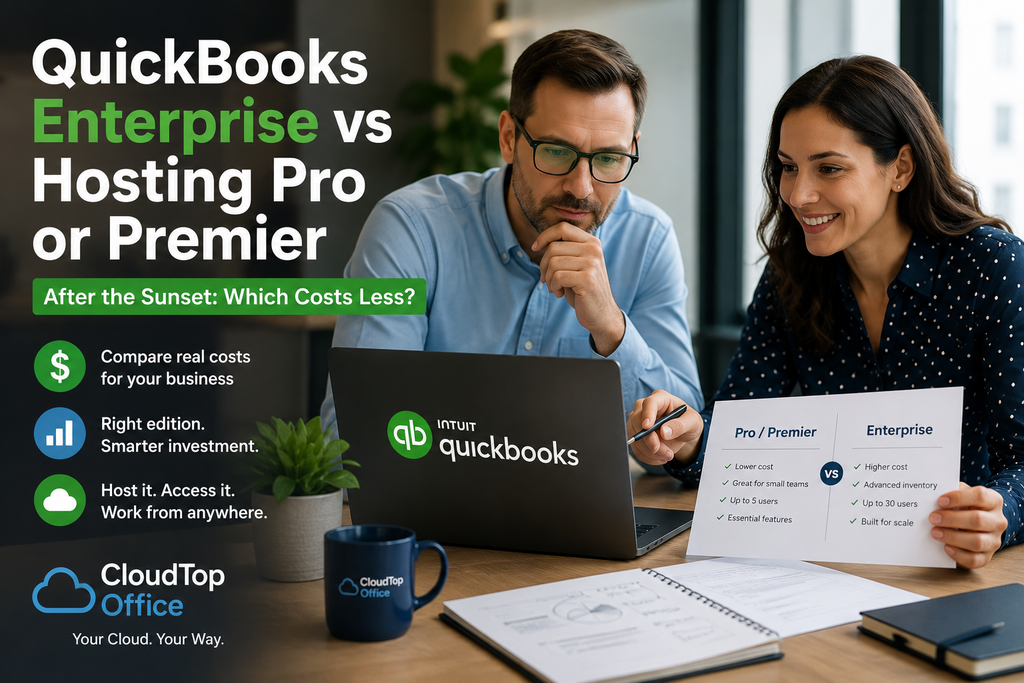
When people weigh QuickBooks Enterprise vs hosting after their version sunsets, they are usually mixing up two separate decisions. Enterprise is a QuickBooks edition. Hosting is a way to run QuickBooks in the cloud, and you can host Pro, Premier, or Enterprise. So the real cost question is which edition you need, and hosting is added on top of whichever one you land on. For a small firm that fits inside Pro or Premier’s limits, keeping that edition and hosting it usually costs less than jumping to Enterprise. Enterprise wins on cost only when you actually need its capacity. Here is the plain-English breakdown.
The real question after a sunset: which edition?
When a version reaches end of support, you move to a supported one, and that is the moment to confirm you are on the right edition. The choice is driven more by user count and features than by price. Here is how the three Desktop editions compare, using Intuit’s 2026 list prices.
One availability note that matters: Intuit stopped selling new Pro Plus and Premier Plus subscriptions in 2024, but it continues renewals for existing subscribers. So if you already run Pro or Premier, you can keep it and stay supported. Brand-new buyers generally choose Enterprise or QuickBooks Online. Prices shown are Intuit’s list figures for 2026 and change over time, so confirm the current numbers for your edition. It is also worth remembering these are recurring subscriptions now, not one-time purchases, and Intuit raised Desktop prices across the board on February 1, 2026. Whatever edition you choose, budget for it as an annual line item that tends to rise.
So which costs less?
If your firm fits inside Pro or Premier’s user limits, keeping that edition and hosting it is almost always the cheaper path. Take a two-person office on Premier Plus: the software runs roughly $1,609 plus about $345 for the second user, then hosting is added on top. Moving that same office to Enterprise means stepping up to the Enterprise subscription, which starts higher and climbs from there. You would be paying for capacity you do not use.
The math flips when you genuinely need Enterprise. Pro caps at three users and Premier at five, so the moment you need a sixth seat, advanced inventory, or Enterprise-level reporting, the edition is decided for you and cost is no longer the deciding factor. In that case the question simply becomes whether to host Enterprise too, and for most firms wanting remote access, the answer is yes. In short: let features and user count pick the edition, and treat hosting as the layer that makes any of them reachable from anywhere.
Two things can shift the comparison, so include them before you decide. Higher Enterprise tiers bundle payroll and advanced inventory that you would otherwise buy separately on Pro or Premier. If you need those, run the totals with them added rather than comparing base subscription prices alone, since that is where the gap can narrow or widen.
Where hosting fits, either way
Whichever edition you land on, hosting does the same job: it runs your licensed QuickBooks on a secure cloud server your team reaches from anywhere, with managed backups, multi-factor authentication, and encryption, and no office server to maintain. It is a per-user cost added to your QuickBooks subscription, sized to your setup rather than sold as a fixed package. One honest caveat carries over from the sunset itself: hosting keeps you productive on a supported version, but hosting an unsupported version does not bring back Intuit’s connected services. The fix is a supported edition, hosted. For a small firm without IT, hosting also folds server upkeep, backups, and security into one predictable monthly cost, which belongs in the comparison against running Enterprise on your own hardware. See how it works on our QuickBooks Desktop hosting page, or get a personalized quote that compares the real all-in cost for your user count.
Enterprise, Pro, and hosting questions
Is hosting an alternative to QuickBooks Enterprise?
No. Hosting is how you run QuickBooks in the cloud, not an edition. You can host Pro, Premier, or Enterprise. Choose the edition your firm needs, then decide separately whether to host it for remote access.
Which costs less, Enterprise or Pro/Premier plus hosting?
For a firm within Pro or Premier’s user limits, keeping that edition and hosting it is usually cheaper than upgrading to Enterprise. Enterprise costs more but becomes necessary, not optional, once you need more users or advanced inventory.
Can I still buy QuickBooks Pro or Premier?
Intuit stopped selling new Pro Plus and Premier Plus subscriptions in 2024 but continues renewals for existing subscribers. If you already have Pro or Premier, you can keep and host it. New buyers generally choose Enterprise or QuickBooks Online.
Does hosting keep my version supported?
Hosting runs whatever version you license. To keep Intuit’s connected services, you need a supported, renewed version. Hosting an unsupported version by itself does not restore those services, so the goal is a supported edition, hosted.
How much does hosting add to the cost?
Hosting is a per-user cost added to your QuickBooks subscription, sized to your users, add-ons, and file rather than a fixed package. The clearest way to compare it against an Enterprise upgrade is a quote based on your actual setup.
Not sure which edition, or whether to host it?
A 15-minute call is enough to compare the real all-in cost for your user count and add-ons, and show what hosting would add.
Book a 15-min consult
Leave a Reply