

• Skip to main content
  • Skip to header right navigation
  • Skip to site footer
  • (713) 662-3994
  • Support
CloudTop Office

CloudTop Office

Application Cloud Hosting

  • Home
  • Hosting
    • QuickBooks Desktop Hosting
    • QuoteWerks Hosting
    • ACT! Hosting
    • Sage Hosting
    • Virtual Server
    • QuickBooks Online with Intuit
  • Consulting
    • Zoho Consulting
    • QuoteWerks Consulting
    • Act! CRM Consulting
    • Avalara Consulting
  • About Us
  • Get a Quote
  • Book a Consultation

The IRS Security Six, Explained for Small Firms

October 7, 2026 by Stacy Wanjiku
Category: General

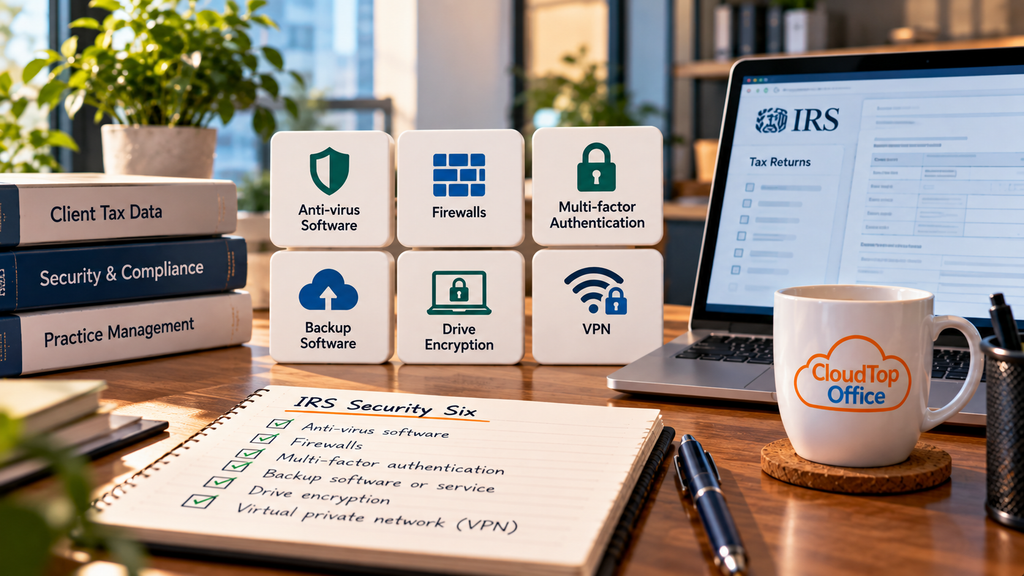
The IRS Security Six are the six baseline security controls the IRS expects every tax and accounting firm to have in place. They are not complicated, and you do not need an IT department to put them in. What trips small firms up is not difficulty, it is that these controls get set up once, drift out of date, and nobody checks them again until a renewal form or a client asks. This is a plain-English run through all six, what each one is, and what “done” looks like at a small practice.

The Security Six come from the IRS Security Summit, and they apply to anyone who prepares returns for pay, whatever the firm’s size. They are the technical floor beneath the written security plan the IRS asks every preparer to keep, and they are also the controls a cyber-insurance questionnaire now tends to check. So getting them right matters for more than one reason, and none of the six is expensive to put in place.

1
Anti-virus software
Software that detects and blocks malware. At a small firm, it needs to run on every device that touches client data and update itself automatically, not a free trial that lapsed two years ago.
2
Firewalls
A barrier that controls the traffic coming into and out of your network. Your office router almost certainly has one; make sure it is turned on, and that each work computer’s own firewall is enabled too.
3
Multi-factor authentication
A second step beyond a password, usually a code or an app prompt. Turn it on for email, your tax software, and anything holding client data. It is the control insurers and the IRS lean on hardest, because it stops a stolen password on its own.
4
Backup software or service
Regular copies of your data you can restore from. Automate it, and then actually test that a restore works. A backup you have never restored is a guess, and it tends to fail on the one day you need it.
5
Drive encryption
Scrambling the data on a device so a lost or stolen one does not expose client files. Turn on full-disk encryption, BitLocker on Windows or FileVault on Mac, especially on any laptop that leaves the office.
6
Virtual private network (VPN)
An encrypted connection for working securely over the internet. Use one when you work from home or on public Wi-Fi, so client data is not crossing an open connection on its way to and from your systems.

If you can’t do all six at once

Start with multi-factor authentication and drive encryption. Between them, they stop the two most common ways small firms lose client data: a password that ends up in the wrong hands, and a laptop that walks off. The other four matter, and you should close them too, but those two buy you the most protection for the least effort. As you go, write down what you have in place and when you last checked it. That record is the start of the written information security plan the IRS expects, which we cover in our guides to the WISP requirements and the IRS Publication 4557 checklist.

Where hosting covers part of the list

If your accounting software runs in a hosted environment, several of the Security Six are handled on the server side: multi-factor authentication, encryption, managed backups, and anti-virus and firewall protection where your data actually lives. A hosted setup also gives you secure remote access, which reduces how much you lean on a patchy VPN. It does not cover everything. The laptop or desktop you connect from still needs its own anti-virus, its own encryption, and a VPN when you are on an untrusted network, because those protect the device in your hands, not the server. Think of hosting as covering the data side of the list, with the endpoint side still yours.

This article is general information, not legal or compliance advice. Confirm your obligations against the current IRS guidance and a qualified advisor.

If you want the server side of these controls handled in one place, that is part of what hosting does. You can get a personalized quote or book a short call whenever it is useful.

Book a 15-minute call → to talk through which of the Security Six hosting can cover for your firm.

Previous Post:Act! Premium Desktop v27: Features You Only Get Outside Web

Reader Interactions

Leave a Reply Cancel reply

Your email address will not be published. Required fields are marked *

Latest Posts

  • The IRS Security Six, Explained for Small Firms
  • Act! Premium Desktop v27: Features You Only Get Outside Web
  • Intuit Enterprise Suite vs Hosted QuickBooks Desktop
See more

Service Areas

  • ACT! Hosting
  • QuoteWerks Hosting
  • Virtual Server
  • Sage Hosting
  • QuickBooks Online with Intuit
  • QuickBooks Hosting

Quote Links

  • Home
  • About Us
  • Quickbooks FAQ
  • Blog

Contact Us

  • Contact Us
  • Support

Ready to Get Started?

Talk to a member of our team today

Get a Personalized Quote

Or call: (713) 662-3994

Toll-Free: (866) 710-4228

Privacy Policy | Terms & Conditions

Copyright © 2026 · CloudTop Office · All Rights Reserved