

Every host claims to run QuickBooks hosting backups. Fair enough. The word has been repeated so often it has lost most of its meaning, and on its own it tells you almost nothing useful. The real question is what sits beneath it: if your company file disappeared this afternoon, could you actually get it back, and how long would you be stuck waiting? A backup is simply a copy of your data. Recovery is you back inside QuickBooks and getting work done. Hosts are eager to advertise the first part and tend to go quiet on the second. The questions below are worth asking before you hand anyone the keys to your books.
What “nightly backups” actually promise
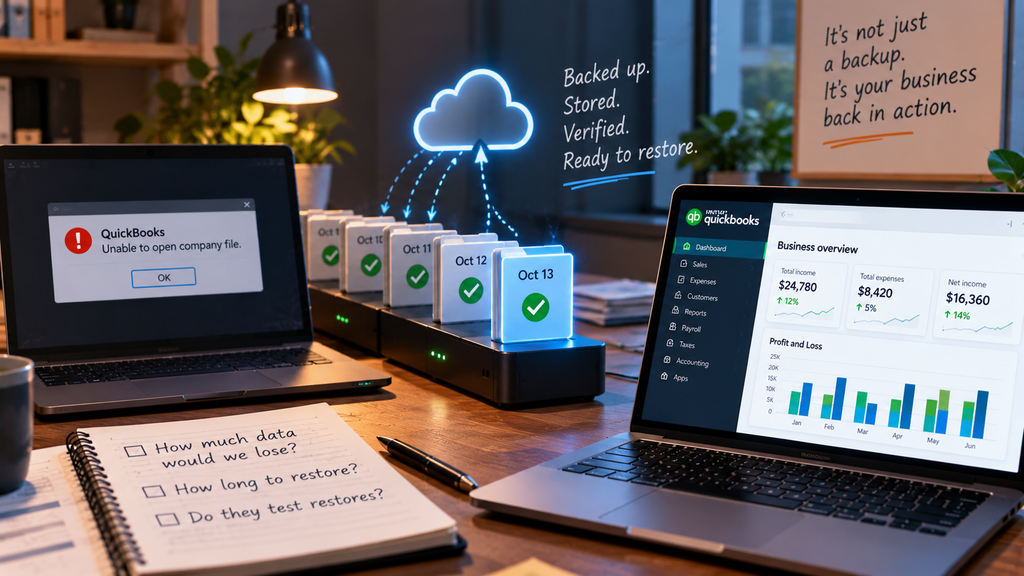
A nightly backup makes exactly one promise. A copy of your data existed at some point the previous night. It says nothing about whether that copy is any good, whether anyone has ever actually restored from it, or how long you would be sitting idle while it comes back. Two numbers close that gap, and neither of them is the word backup. The first is your recovery point: how much data you stand to lose, determined by how frequently backups run. Nightly? That could mean up to a full day of transactions you have to re-enter by hand. The second is your recovery time: how long you remain offline while the file is being restored. A host can execute the backup perfectly every single night and still leave you dark for two days with yesterday’s work gone. Those two numbers are what you are really paying for.
The questions to demand from a QuickBooks host
Turn the promise into specifics. A host with a genuine recovery plan answers each of these without hesitation.
Where backups quietly fail
Most backup disasters do not involve a missing backup. They involve one that fell apart the moment it was finally needed. The restore had never been tested, so it broke on the one day it mattered. Or the only copy lived on the same machine as the live file, and ransomware took both at once. Retention set to a day or two meant that corruption surfacing a week later had already chewed through every clean version. None of this appears on a features page. “Nightly backups” reads the same whether the recovery behind it is solid or hollow, which is exactly why the questions above matter more than the slogan.
Ransomware rewrote the rules here. A modern attack does not simply lock your live files. It goes looking for the backups too, because whoever built it knows that intact backups are the reason you would refuse to pay. Versioned, separated backups are what allow you to roll back to a clean copy and walk away. A single copy sitting on the same server leaves you with nowhere to go.
What good recovery looks like
A host built for recovery treats the backup as step one, not the finish line. Managed daily backups, yes. But paired with restores that are actually tested. Retention long enough to reach back past a problem you catch late. Versioning, so a clean older copy is waiting when you need it. Separation, so an attack on your live data cannot swallow the backups along with it. CloudTop Office runs client environments on Microsoft Azure in U.S. regions, with managed daily backups, encryption, and multi-factor authentication, along with a U.S.-based team that will walk you through exactly how a restore would work for your specific file. Better yet, ask us to run one. We would rather show you a real recovery than describe it. That conversation about how you get back to work is worth far more than any line on a features page. See how the setup works on our QuickBooks Desktop hosting page, or request a personalized quote.
Backup and recovery questions
Isn’t “nightly backups” enough?
It is a floor, not a finish. A backup only earns its keep if you can restore from it fast and whole, so push on tested restores, retention, and a real recovery time. Those tell you far more than how often the backup runs.
What are recovery point and recovery time?
Recovery point is how much data you would lose, set by the interval between backups. Recovery time is how long you would be down while the file is restored. Both matter more than the word backup, because they describe what a bad day actually costs you.
How often should QuickBooks be backed up?
Daily at a minimum for most firms, and more often if you enter a high volume of transactions. The right frequency comes down to how much data you could afford to re-enter, so match the backup schedule to your recovery point.
Can ransomware destroy my backups?
If the backup is not versioned or is stored with the live data, yes. A good host keeps multiple versions and separates backups from the live system, so an attack that reaches your working file cannot take every clean copy along with it.
Does CloudTop do more than nightly backups?
It does. We run managed daily backups on Microsoft Azure with encryption and a defined recovery process, and we will happily walk you through, or demonstrate, how a restore would go for your file. Ask us about recovery, not just backups, when you compare hosts.
Backups are only half the promise.
A 15-minute call is enough to hear exactly how we would get your QuickBooks back if something went wrong.
Book a 15-min consult
Leave a Reply