
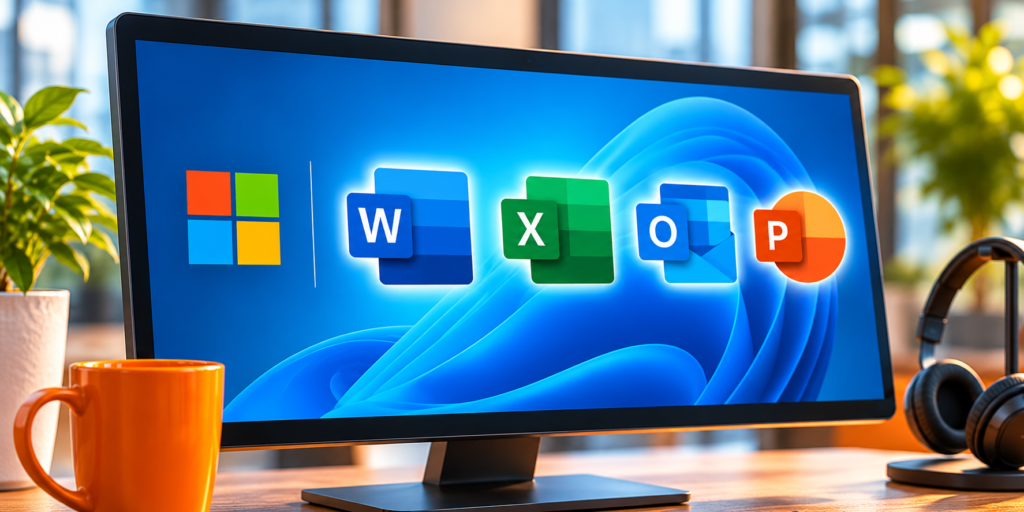
Running Microsoft 365 in a hosted desktop puts Word, Excel, and Outlook in the same cloud environment as the accounting software you already host, so your team works with all of it in one place instead of juggling local Office and hosted apps. It is a common and useful setup, but it comes with a licensing rule that trips people up: not every Microsoft 365 plan can run the desktop Office apps on a shared hosted desktop. This explains what you need, which plans qualify, and how it fits alongside QuickBooks, Act!, or QuoteWerks.
Why run Microsoft 365 in a hosted desktop?
The appeal is simplicity. When your Office apps live in the same hosted desktop as your accounting software, a quote in Excel, a client letter in Word, and the QuickBooks or Act! data behind them all sit in one environment. Files move between the apps without emailing them to yourself, your team reaches everything from any device with a single login, and there is no local Office install to patch on each machine. For a business that already hosts its accounting stack, adding Office to the same desktop is less a new project than finishing the one you started.
The rule that matters: Shared Computer Activation
A hosted desktop is a server that several people sign into, which Microsoft treats as a shared computer. To run the desktop Office apps there, you use a licensing mode called Shared Computer Activation, which Microsoft describes as the preferred setup for Remote Desktop Services and virtual desktops. Two things follow from it. First, Microsoft 365 is licensed per user, not per device, so every person who signs in and uses Office needs their own qualifying license. Second, activations through Shared Computer Activation do not count against each user’s normal five-device install limit, so hosting Office this way does not eat into the installs they use on their own laptop or phone. The catch is in the word “qualifying,” because that is where plans differ.
Which Microsoft 365 plans qualify?
This is the part worth checking before you plan around it. Having “Microsoft 365” is not enough; the plan has to include the desktop apps and support Shared Computer Activation.
The short version: Business Premium or an enterprise plan works; Business Standard and Basic do not. If you are on one of the latter two and want Office in your hosted desktop, the fix is to move those users to a qualifying plan, which is worth sorting out before setup rather than discovering at activation. One thing to check up front is whether your team is on a mix of plans, which is common. Some staff may be on Business Premium while others are on Business Standard, and only the Premium users would activate cleanly on the hosted desktop. Confirming everyone’s plan in advance avoids a round of activation errors on the first day.
How it works with a host
In a hosted setup, Office is installed once on the server with Shared Computer Activation turned on, and each licensed user signs in with their own Microsoft 365 account to activate it. You bring the qualifying licenses, the host provides and maintains the environment, and the two work together. Because activation checks in with Microsoft’s licensing service, the setup needs reliable internet, which a hosted environment already assumes. CloudTop Office is a Microsoft hosting partner and runs client environments on Microsoft Azure in U.S. regions, so Office can sit in the same hosted desktop as your QuickBooks, Act!, or QuoteWerks, with the Shared Computer Activation side set up correctly from the start. We explain the broader idea in our guide to application hosting, and the environment itself on our Virtual Server page.
Microsoft 365 hosting questions
Can I run Microsoft 365 in a hosted desktop?
Yes, with the right plan and Shared Computer Activation. Office is installed once on the shared server with activation enabled, and each user signs in with their own qualifying Microsoft 365 license. It is a standard, supported setup.
Which Microsoft 365 plans work for a hosted desktop?
Business Premium and the enterprise plans, Microsoft 365 Apps for enterprise, E3, and E5, support Shared Computer Activation. Business Standard does not, and Business Basic has no desktop apps, so neither of those works on a shared hosted desktop.
Do I need a license for every user?
Yes. Microsoft 365 is licensed per user rather than per device, so everyone who signs into the hosted desktop and uses Office needs their own qualifying license. Shared Computer Activation does not count against their five-device install limit.
Why run Office in the same hosted desktop as QuickBooks?
To keep everything in one place. Office and your accounting software live in the same environment, so files move between them easily and your team reaches it all from any device with one login, rather than switching between a hosted app and a local copy of Office.
Want Office and your accounting apps in one hosted desktop?
A 15-minute call is enough to see how hosting runs Microsoft 365 alongside QuickBooks, Act!, and QuoteWerks, with the licensing set up right.
Book a 15-min consult
Leave a Reply