
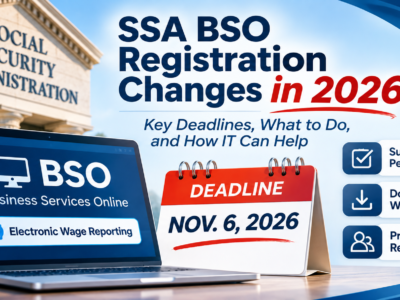
If your business reports employee wages to the Social Security Administration online, the BSO registration changes in 2026 affect you, and one deadline is immediate. On November 7, 2026, the SSA will change how employers can use Business Services Online (BSO) for Electronic Wage Reporting. Before that takes effect, you need to finish any pending wage reports and save copies, because some prior report information won’t be available afterward. This post walks through what to check, the exact deadlines, and where IT support can help, while you and your payroll professional keep the payroll and wage-reporting decisions.
Act before the deadline
- Complete any pending wage report submissions by 6:00 p.m. Eastern Time on November 6, 2026 (5:00 p.m. Central).
- Download your W-2 Online report PDFs before then, because SSA says prior report information won’t be available after November 6, 2026.
- On November 7, 2026, the BSO Electronic Wage Reporting authorization process changes. Most organizations will need to re-register.
- The exception: organizations that took part in SSA’s January 2026 limited release and got a registration code by mail don’t need to re-register.
- The Social Security Number Verification Service (SSNVS) is not affected.
What are the BSO registration changes in 2026?
On November 7, 2026, the SSA is updating the authorization process for Business Services Online Electronic Wage Reporting, with the goal of giving business users a more secure way to access Social Security’s electronic services. In plain terms, the way employers get into BSO to file wage reports is changing, and most organizations using the current process will need to re-register to keep access. The details below come straight from SSA’s official BSO page, which is the source to rely on for the exact steps.
Re-registration, the exception, and SSNVS
Once the new process takes effect, organizations using the existing process must re-register to access BSO Electronic Wage Reporting services. There’s one exception: if your organization took part in SSA’s January 2026 limited release and received a registration code by mail, you don’t need to re-register. If that doesn’t describe you, plan to re-register through SSA, and give yourself time, since access issues tend to surface at the worst moment during filing season. SSA’s BSO Access and Registration page has the official steps.
One important reassurance: the Social Security Number Verification Service (SSNVS) is not affected by these changes. If your business uses SSNVS to verify names and numbers, that stays as it is, with no action needed there.
Pending reports: the November 6 cutoff
This is the time-sensitive part. SSA asks you to complete any pending wage report submissions by 6:00 p.m. Eastern Time on November 6, 2026, which is 5:00 p.m. Central. If you have reports in progress, finish and submit them before that cutoff to avoid delays or access issues when the new process takes over the next day. The services affected by the change include W-2 and W-2c Online, Wage File Upload, Submission Status, Employer Report Status, AccuWage Online, and View Wage Report Name/SSN Errors, so if you use any of those, treat the cutoff as firm.
Save your W-2 Online report copies now
SSA is clear on this: for reports you submitted through W-2 Online, open each one, use the “View PDF” button, and download the PDF to your computer, because prior report information will not be available after November 6, 2026. In other words, if you don’t save these copies now, you may not be able to retrieve them later. Once you’ve downloaded them, store them somewhere secure and backed up, not just on one computer’s desktop. These are sensitive payroll records, so they belong in a protected, access-controlled location with a copy kept safely off that single machine. This is one place your IT support can help without touching any payroll decisions.
Who does what: payroll owner and IT support
It helps to be clear about lanes here. The payroll decisions, which reports to file, how wages are reported, and completing SSA re-registration, belong to you as the employer and to your payroll professional. Those are not IT decisions, and a good IT partner won’t try to make them. Your IT support can handle the access and storage side: confirming the right people have the sign-in credentials SSA requires, ensuring downloaded report copies land in a secure, backed-up location, and verifying access is ready before the new process goes live. SSA’s online services are reached through a secure sign-in, so if the users who need BSO don’t already have the credential SSA requires (for example, a Login.gov account), set that up ahead of time, and confirm the exact method on SSA’s registration page. Keeping these lanes separate is how you avoid both a compliance gap and a security one.
Your access check before November 7
Run through this with your payroll professional and your IT support. The payroll items are yours to own; the access and storage items are where IT helps.
Where CloudTop Office fits
We handle the IT side so you and your payroll professional can focus on the filing. That means making sure the right people have access before the new process goes live, storing and backing up your downloaded report copies securely, and ensuring nothing on the technology side trips you up during a busy time. We don’t make payroll or wage-reporting decisions; those stay with you and your payroll pro, and we’ll be clear about that line. If you’d like a hand getting your access and secure storage squared away, or you want to talk through managed IT support more broadly, we’re glad to help.
Frequently asked questions
What are the BSO registration changes in 2026?
On November 7, 2026, SSA is changing the authorization process for Business Services Online Electronic Wage Reporting to make access more secure. Most organizations using the current process will need to re-register to keep access.
What’s the deadline to complete pending wage reports?
SSA asks you to complete any pending wage report submissions by 6:00 p.m. Eastern Time on November 6, 2026, which is 5:00 p.m. Central. Finish and submit in-progress reports before then to avoid delays when the new process takes effect.
Do I need to re-register for BSO?
In most cases, yes. Organizations using the existing process must re-register to access BSO Electronic Wage Reporting, unless they took part in SSA’s January 2026 limited release and received a registration code by mail.
How do I save my W-2 Online reports before the change?
Open each report submitted through W-2 Online, use the “View PDF” button, and download the PDF to your computer before the November 6 cutoff. SSA says prior report information won’t be available after that date, so save and securely store these copies now.
Is SSNVS affected by these changes?
No. SSA states that the Social Security Number Verification Service (SSNVS) is not affected by these changes. If you use SSNVS, there’s no action to take for this update.
Review your managed IT support
This change is a good reminder that access and secure storage are worth getting right before a deadline, not during one. We can help on the IT side, access readiness, secure and backed-up storage of your report copies, and broader managed IT support, while your payroll decisions stay with you and your payroll professional. Get a personalized quote from CloudTop Office.
This article is general information based on SSA’s published guidance, not payroll, tax, or legal advice. For the official steps and the latest details, follow SSA’s BSO page and consult your payroll professional. CloudTop Office provides IT support; it does not make payroll or wage-reporting decisions. Our sister brand, CloudTop SaaS, cloud-hosts Windows business software.
Leave a Reply