

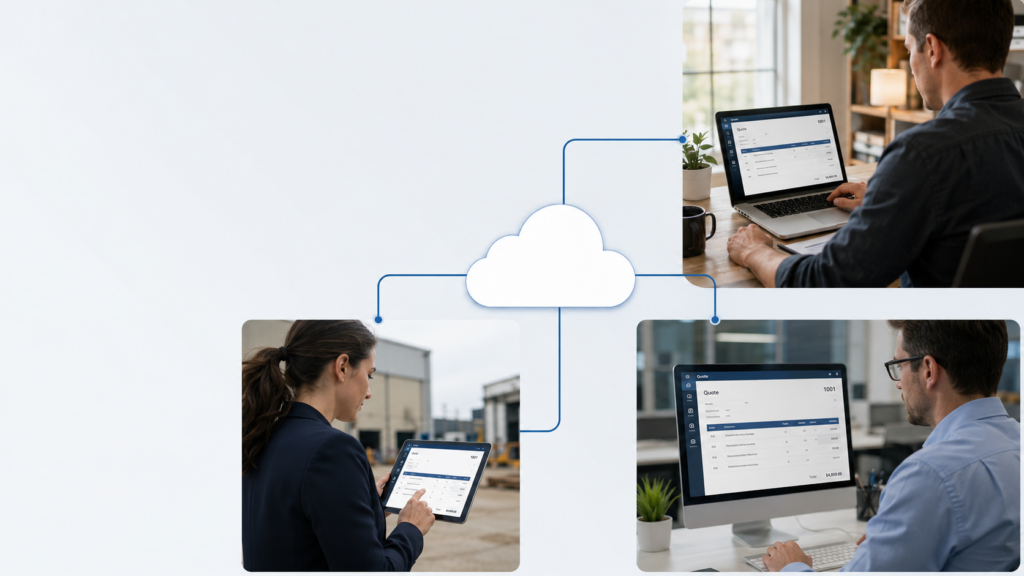
QuoteWerks remote access is the short answer: hosting QuoteWerks on a managed cloud server lets your whole team work from anywhere, while a local install ties everyone to one office network and one aging server. You get the same QuoteWerks Desktop you run today, reachable from home, the road, or a client site, with backups and security handled for you.
For sales teams and the accounting staff who work alongside them, that shift changes the workday. Reps quote from wherever they are, finance sees the same live data, and nobody waits on a VPN or a server reboot. Below is the plain business case for hosting over a local setup, and an honest look at when local is still fine.
Key takeaways
- Hosting gives your team QuoteWerks remote access from any device, without a VPN or an office server.
- Multiple users share one live database, so sales and finance see the same quotes in real time.
- Backups, security, and updates move to the host, off your team’s plate.
- A single solo user on one PC may not need hosting; a multi-person or multi-location team almost always benefits.
Why host QuoteWerks instead of running it locally?
Hosting wins on three business outcomes: people can work from anywhere, the office server stops being a liability, and your data is backed up and secured by someone whose job that is. A local install does the opposite. It pins QuoteWerks to one machine or one in-office server, leaves backups to whoever remembers, and goes dark the moment that hardware fails or the office loses power.
None of that requires changing how your team quotes. You keep the same QuoteWerks Desktop, the same templates, and the same add-ons. The application moves to a data center; the way your people use it stays familiar.
Does hosting give my whole team remote access to QuoteWerks?
Yes. With QuoteWerks remote access through hosting, every user signs in to the same cloud environment from any device with a small connection plugin. A rep at a client site builds a quote on a laptop. Your bookkeeper opens the same data from home. Both work in the live system, not in copies they email back and forth later.
That matters for sales and finance for different reasons. Sales gains speed: quotes go out while the lead is warm, from wherever the rep happens to be. Finance gains a single source of truth: the numbers they reconcile are the numbers the team is quoting, with no version confusion at month-end.
Can multiple people use QuoteWerks at the same time when it’s hosted?
Yes. A hosted environment runs one shared database that several users reach at once, with changes syncing in real time. The server is sized to your team, so concurrent quoting stays responsive even during a busy stretch.
A local setup can do multi-user too, but only inside the office and only while that server holds up. Add a remote rep or a second location and you are back to VPNs, lag, and the risk that one failed box stops everyone. Hosting removes the location limit without removing the shared database.
What happens to backups and security without a local server?
They get handled for you. CloudTop runs QuoteWerks in Microsoft Azure data centers in U.S. regions, with automated daily backups, multi-factor authentication, encryption, and hardened remote access. A failed office drive or a stolen laptop no longer threatens your quote history, because the data does not live on that device.
For accounting and finance staff, that posture lines up with the security expectations clients bring. If your firm works under the FTC Safeguards Rule, we can walk through how the environment is built around those controls before you sign anything. The point for a busy team is simpler: backups happen on schedule, not on memory.
Hosted vs local QuoteWerks: a side-by-side
| Factor | Hosted QuoteWerks | Local install |
|---|---|---|
| Where you can work | Any device, anywhere with internet | The office, or over a VPN |
| Server | Managed in Azure, nothing to own | You buy, patch, and replace it |
| Multi-user, multi-location | Built in, one shared live database | Possible in-office; awkward beyond it |
| Backups | Automated daily, off-site | Manual, only if someone runs them |
| Security | MFA, encryption, hardened access | Whatever the office network provides |
| If hardware fails | Your data lives elsewhere; work continues | Quoting stops until it’s fixed |
This is the same comparison we cover in depth in our full guide to hosting QuoteWerks in the cloud, including editions, add-ons, and pricing structure.
Is hosting right for every QuoteWerks team?
No, and it is worth being honest about it. A single user who runs QuoteWerks on one PC, never works off-site, and keeps a disciplined backup routine may not gain enough to justify hosting. Local can be fine for that setup.
The math changes the moment you add a second user, a remote rep, a second location, or finance staff who need the same data. At that point the office server becomes the bottleneck and the single point of failure, and remote access stops being a nice-to-have. Teams that also run Act! CRM in the cloud alongside QuoteWerks usually find one hosted environment simpler than stitching local installs together.
Frequently asked questions
How do users get remote access to hosted QuoteWerks?
Each person installs a lightweight connection plugin on their device, signs in, and QuoteWerks opens as if it were running locally. The application runs on the cloud server while the screen and keyboard stay on the user’s device.
Will hosting change how my team uses QuoteWerks?
No. It is the same QuoteWerks Desktop, with your templates, layouts, and add-ons intact. The workflow your team knows stays the same; only the location of the server changes.
Do I still need an office server if QuoteWerks is hosted?
No. Hosting removes the need for a QuoteWerks server in the office. Your data and application live in the data center, so there is no local box to buy, patch, or replace for this workload.
How are backups handled with hosted QuoteWerks?
Backups run automatically on a daily schedule in the data center. You do not have to remember to run them or store copies yourself, which is a common gap with a local install.
Is remote access to QuoteWerks secure?
Yes. Access uses multi-factor authentication and encryption, and the environment sits in U.S. Azure data centers with hardened remote connections. For firms with specific compliance needs, CloudTop can review how the setup maps to those controls.
Give your QuoteWerks team access from anywhere
If your sales and finance teams need QuoteWerks beyond the office, without babysitting a server or chasing backups, hosting is the path. Get a personalized quote and CloudTop Office will size a plan around the team and software you already run.
Leave a Reply