

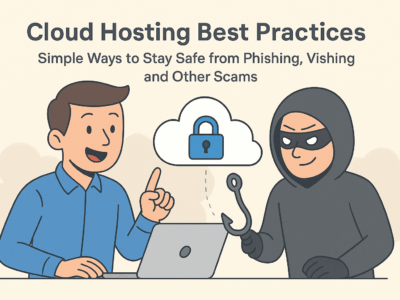
If “the cloud” sounds mysterious, think of it like a locked safety deposit box at a well-guarded bank. You can open it from any branch (your laptop, home PC, or phone), but only with the right key. CloudTop Office gives small and medium businesses a safe, easy way to run important apps like QuickBooks, Sage, QuoteWerks, and Act!, without the headaches of owning servers. In this guide, explained in plain language, you’ll learn how to keep your people and your data safe from the most common tricks scammers use.
The Short Version: What Is Cloud Hosting?
Instead of keeping your business software and files on a computer in your office, cloud hosting runs them in a professionally managed data center. With CloudTop Office, that means secure, reliable access to your apps from anywhere, plus expert help when you need it. You still use the same QuickBooks or other applications you know, just easier and safer.
Types of Scams to Watch For!
- Phishing (fake emails): Messages that look like they’re from your bank, payroll, or “IT support” asking you to click a link or enter your password. If you didn’t expect it, don’t click it.
- Vishing (voice calls): Phone calls from someone pretending to be a support or a vendor. They’ll rush you so you don’t think, then trick you into giving away access.
- Smishing (text messages): The same idea as phishing, but via SMS. “Your package is delayed. Log in here.” Nope. Don’t tap.
- MFA fatigue: Attackers spam you with approval requests, hoping you’ll hit “Approve” just to stop the buzzing. Never approve a sign-in you didn’t start.
- Look‑alike websites and emails: A zero instead of an “o,” or an extra letter in a domain name. Tiny differences, big trouble.
- Fake invoices or payroll changes: A scammer sends a “new ACH form” or “updated bank details” for a vendor or employee. Always verify by calling a known phone number.
- Malicious attachments: “Invoice.pdf.exe” or “Statement.zip.” If you didn’t ask for it, don’t open it.
Simple Best Practices That Actually Work
- Enable multi-factor authentication (MFA) for all accounts. It’s the deadbolt on your front door. Even if a scammer knows your password, they can’t get in without the second step.
- Use a password manager and unique passwords. One strong password to unlock the vault, then let the manager create and remember the rest.
- Slow down and verify. Unexpected link? Payment change? Urgent call? Pause and check using a phone number or portal you already trust.
- Limit access to “need to know.” Give each person only the apps and files they need. It keeps accidents small and scammers stuck.
- Keep apps and systems updated. Updates are like fixing a broken lock. CloudTop handles server-side patching so you don’t have to.
- Back up and be able to roll back. If something goes wrong, you want yesterday’s clean copy. CloudTop includes point-in-time recovery with a 30-day file restore.
- Train in bite‑size doses. A five‑minute scam-spotting tip at each team meeting beats a once‑a‑year marathon.
- Have a “who to call” plan. If someone clicks a bad link, they should know exactly who to contact immediately, no blame, just fix it fast.
Key CloudTop Office Messages and Proof Points
- Purpose‑built hosting for critical apps: Smooth, secure hosting for QuickBooks, Sage, QuoteWerks, and Act! so your team can work from anywhere without server hassles.
- Security first: Built on Microsoft Azure infrastructure with enterprise‑grade protections, encrypted connections, and MFA available for all users.
- 30‑day file recovery: Point‑in‑time restore helps undo accidents, ransomware, or bad edits without drama.
- Reliable remote access: Virtual desktops and app environments that feel fast and familiar, whether you’re at the office or at home.
- Seamless onboarding: Guided migration with minimal disruption, so you don’t lose workdays during the switch.
- US‑based expert support: Real people who know your apps and respond quickly when you need help.
How Cloud Hosting With CloudTop Helps You Avoid Scams
- Centralized security controls: We enforce MFA, tighten sign‑in policies, and keep servers patched, closing common holes scammers exploit.
- No exposed office server: Hosted desktops mean you aren’t leaving a door open on your network for attackers to jiggle.
- Consistent user experience: Your team signs in the same safe way every time. Consistency reduces mistakes and simplifies training.
- Fast recovery if something slips through: With built‑in backups and file restore, you can get back to clean, known‑good data quickly.
Getting Started with CloudTop (Step by Step)
- Talk to a CloudTop specialist. Tell us which apps you use (QuickBooks, Sage, QuoteWerks, Act!, and more) and how your team works together.
- Get a tailored plan. We map users, permissions, and security settings, including MFA and backup policies.
- Pilot with a small group. Prove speed, access, and workflow before rolling out broadly.
- Go live without the headaches. We handle migration and onboarding, so your team can keep working.
- Rely on ongoing support. US‑based experts monitor, maintain, and assist your users.
Bottom Line: Make Scammers’ Jobs Hard and Your Team’s Work Easy
You don’t need to be a tech expert to stay safe. With a few smart habits, MFA, unique passwords, slow‑down-and-verify, and a secure cloud foundation, your business can shrink its risk and keep working without interruptions. CloudTop Office pairs friendly, US‑based support with secure, Azure‑powered hosting for QuickBooks, Sage, QuoteWerks, and Act!, plus 30‑day file recovery to help you bounce back fast.
Ready to simplify your IT and strengthen your security? Contact CloudTop Office for a quick consultation and a personalized plan to move your business-critical apps to the cloud: safely, smoothly, and with support you can count on.
Leave a Reply