

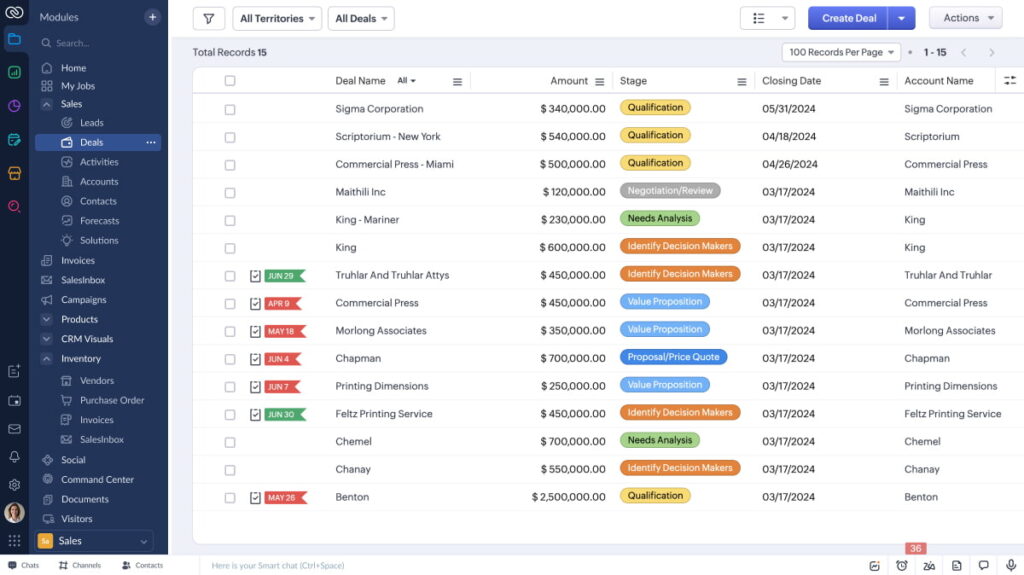
Launching Zoho CRM shouldn’t feel risky or slow. CloudTop Office delivers a seamless onboarding experience that is fast, clean, and adoption‑ready, so your team moves from first login to first wins in weeks. Our certified Zoho consultants translate your lead‑to‑cash process into a right‑fit CRM, migrate clean data, connect your tools, and train users to achieve measurable ROI.
What “Seamless” Means at CloudTop Office
- Clear scope and milestones: No vague timelines or open‑ended projects
- Right‑fit configuration: Modules, fields, and Blueprints mapped to your workflows
- Clean data migration: Deduped, validated, and reconciled before go‑live
- Connected stack: Email, calendar, telephony, and finance apps integrated
- Role‑based training: Reps, managers, and admins are prepared to use the system on day one
- Adoption metrics: Usage, data quality, and pipeline health tracked from the start
Our Onboarding Framework
1) Discover & Design
- Process workshop: Map lead‑to‑cash, handoffs, SLAs, and approvals
- Success metrics: Speed‑to‑lead, pipeline coverage, win rate, forecast accuracy
- Solution design: Modules, fields, page layouts, roles/profiles, territories, Blueprints
- Roadmap: Prioritize quick wins; phase advanced features to accelerate value
2) Configure & Integrate
- Sales process: Stage definitions, validation rules, assignment, and scoring
- Automation: Deluge functions and Zoho Flow for routing, SLAs, renewals, alerts
- Integrations: Microsoft 365/Google Workspace, RingCentral/Twilio, Zoho Books/QuickBooks
- Security: SSO/MFA, profiles/roles, field‑level access, IP restrictions, audit logs
3) Migrate & Validate
- Data mapping: leads, contacts, accounts, deals, products/price books, activities
- Quality controls: normalization, dedupe (email/domain/phone), owner rules
- Sandbox pilots: test loads with reconciliation and exception handling
- Cutover: freeze window, delta loads, smoke tests, and rollback checkpoints
4) Train, Launch & Adopt
- Role‑based enablement: rep workflows, manager dashboards, admin handover
- Guides and playbooks: quick‑reference checklists and micro‑videos
- Hypercare: hands‑on support for 2–3 weeks post‑go‑live
- Adoption dashboard: logins, feature usage, data quality, and automation health
What You Get: Concrete Deliverables
- Process blueprint and CRM data model
- Configured Zoho CRM: Blueprints, assignment rules, validation, dashboards
- Integration runbooks: email, calendar, telephony, finance
- Migration reports: mapping, dedupe logs, and reconciliation
- Training kit: role‑based guides, admin documentation, and release notes
- 90‑day adoption and KPI scorecard
Integrations That Stick
- Email and calendar: Microsoft 365 and Google Workspace (two‑way sync, templates, tracking)
- Telephony: RingCentral, Twilio, and others (click‑to‑call, call logging, recordings)
- Finance: Zoho Books or QuickBooks (quotes, invoices, payments, revenue dashboards)
- Marketing: Zoho Campaigns/Marketing Automation; web forms with UTM capture
- BI: Zoho Analytics embedded in CRM for pipeline velocity and revenue forecasting
- Custom: REST APIs, webhooks, and Zoho Flow for niche apps
Data Migration: Clean In, Clean Out
We migrate what matters—and make it reliable. CloudTop Office runs a structured migration with quality gates to protect data integrity.
- Source systems: Salesforce, HubSpot, Pipedrive, spreadsheets, legacy databases
- Field mapping: one‑to‑one fields, lookups, multi‑selects, activities, and attachments (where supported)
- Quality: dedupe rules, normalization, validation, and ownership logic
- Testing: pilot loads, reconciliation reports, exception remediation
- Cutover: delta sync, UAT sign‑off, and rollback safeguards
Security, Governance, and Scale
- Identity: SSO/MFA, IP restrictions, session policies
- Access model: profiles/roles, field‑level security, sharing rules, territories
- Governance: naming conventions, picklist standards, data retention, and archival
- Change control: sandbox strategy, release cadences, deployment checklists
Timelines and Packages
All engagements are delivered remotely across the US & Canada time zones. We phase delivery for quick wins and reliable adoption.
| Package | Best For | Duration | Highlights |
|---|---|---|---|
| CRM QuickStart | Teams of 5–25 | 2–4 weeks | Core pipeline, lead routing, email/calendar sync, essential dashboards, basic migration |
| Revenue Ops | Teams of 15–100 | 4–8 weeks | Blueprints, territories, CPQ/quotes, telephony, multi‑source migration, manager coaching views |
| Scale‑Up | Teams of 50–200+ | 8–12+ weeks | Advanced security, sandbox strategy, complex approvals, Books/ERP integrations, embedded analytics |
Why Choose CloudTop Office
- Certified Zoho consultants: CRM, Desk, Analytics, and Deluge/Flow expertise
- Faster time‑to‑value: proven playbooks and accelerators reduce build and training time
- Low‑risk delivery: sandbox‑first changes, automated QA checks, and staged releases
- Suite thinking: native integrations across Zoho Books, Desk, Analytics, Campaigns, and Creator
- Admin‑as‑a‑Service: ongoing enhancements, dashboards, and release management
- Transparent pricing: fixed‑scope packages plus flexible retainers
- Remote‑only, North America coverage: Pacific through Eastern time zones
- Partner escalation: direct Zoho channels for faster issue resolution
Expected Outcomes (90 Days)
- Lead response time reduced by 40–70% with routing, SLAs, and alerts
- Forecast accuracy up 10–25% through stage hygiene and manager dashboards
- Sales cycle 10–30% faster using Blueprints and CPQ
- +1–2 hours/week per rep via automation and email templates
- Duplicate rate down 60–90% with dedupe and validation rules
FAQs: Zoho CRM Onboarding with CloudTop Office
How long does onboarding take? QuickStart is 2–4 weeks; Revenue Ops is 4–8 weeks; Scale‑Up is 8–12+ weeks, depending on data complexity and integrations.
Can you migrate activities, notes, and files? Yes. Where source APIs permit, we migrate activities, notes, and attachments, and provide reconciliation reports.
Do you support territories and complex approvals? Yes. We configure roles/profiles, territory models, Blueprints, validation, and approval workflows aligned to your governance.
What integrations are included? Commonly, Microsoft 365 or Google Workspace, RingCentral or Twilio, and Zoho Books or QuickBooks. We also implement Zoho Analytics and Campaigns where needed.
Do you provide training and ongoing admin? Yes. Role‑based training is standard, and our Admin‑as‑a‑Service covers enhancements, reporting, and release management.
Next Steps
Ready to launch Zoho CRM the right way? We’ll review your process, data, and goals, then deliver a clear timeline, scope, and investment so you know exactly how quickly you can go from kickoff to wins.
Leave a Reply