

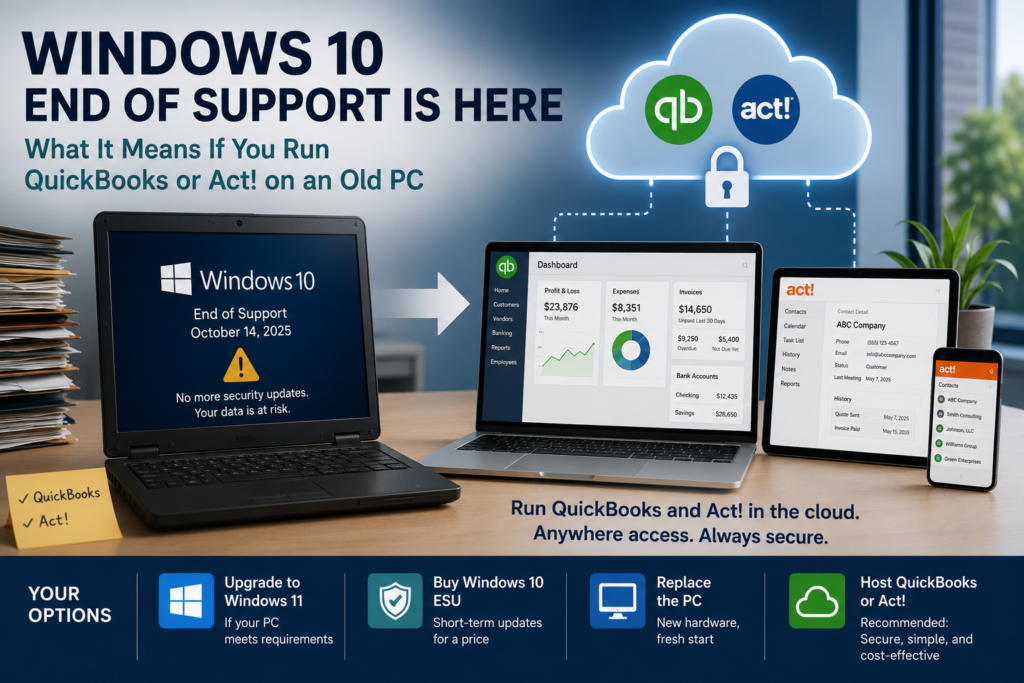
Windows 10 reached end of support for business on October 14, 2025. If you run QuickBooks or Act! on a Windows 10 PC, that machine still turns on and your software still opens, but Microsoft no longer ships the security updates that keep it safe. For a computer that holds your books or your customer database, that is the part that matters. The good news is you have four clear options, and one of them makes the age of the PC almost beside the point. Here is the risk, and how each option stacks up.
What Windows 10 end of support means for your business
End of support does not switch the computer off. What ends is protection. Microsoft stops issuing security patches, so any vulnerability found after October 2025 stays open on that machine unless you take action. On a PC that runs QuickBooks or Act!, that means your financial records and client data sit on an operating system that no longer gets fixed. Attackers know these deadlines as well as vendors do, and unpatched endpoints are a favorite way in.
There is a compliance edge too. The FTC Safeguards Rule, which covers tax and accounting firms, expects you to keep systems patched and current, and many cyber insurers now ask whether you run unsupported software. An out-of-date Windows 10 machine works against both. So while nothing breaks on day one, the risk climbs every month you leave it as it is.
One nuance worth clearing up: Microsoft will keep delivering security updates for Microsoft 365 Apps on Windows 10 through October 2028, so your Office apps stay covered for a while even though the operating system beneath them does not. The OS is the exposure here, not Office.
Your options, compared
Upgrading or replacing fixes the operating system, but you still own and maintain the endpoints. ESU is a paid pause button: fine as a short bridge, but the doubling price is designed to push you off Windows 10, not to keep you there. That leaves hosting as the option that changes the problem rather than delaying it.
Why hosting changes the math
When you host QuickBooks or Act!, the software and your data live on a current, managed cloud environment, and the PC in your office simply connects to it. The work no longer happens on that aging Windows 10 machine, so its operating system stops being the thing standing between an attacker and your books. An old PC becomes a terminal: if it fails or falls behind on patches, it is a screen you can swap, not a vault holding your data. You can even keep using existing hardware a while longer, because it is no longer doing the sensitive work. For a small firm, the practical effect is real: a five-year-old PC that cannot run Windows 11 no longer forces a purchase, it can keep serving as a login terminal while the actual work happens on current, patched infrastructure.
There is a cost angle worth knowing. Microsoft includes Windows 10 ESU at no extra charge with Azure Virtual Desktop and Windows 365, so a hosted Azure environment sidesteps the per-device ESU treadmill entirely. Whether you run QuickBooks Desktop hosting, Act! hosting, or a virtual desktop for your whole workflow, the endpoint deadline stops being your emergency.
Getting your apps off the old PC
CloudTop Office has hosted accounting and CRM software since 2000, with more than 500 businesses running their apps on Microsoft Azure in U.S. regions, backed by managed daily backups, multi-factor authentication, encryption, and 24/7 U.S.-based support. Moving QuickBooks or Act! into that environment is usually a short, planned project, and it turns the Windows 10 deadline from a scramble into a non-event. To see what it would take and cost for your setup, get a personalized quote.
What Windows 10 users are asking
Is my Windows 10 PC unsafe now?
It still runs, but with no security updates it grows riskier over time, and more so when it holds QuickBooks or Act! data. It is not dead on day one, but it is not a safe long-term home for financial or client information.
How much does Windows 10 ESU cost a business?
Microsoft’s commercial ESU runs about $61 per device for year one, then doubles to $122 in year two and $244 in year three. It is cumulative, so you cannot skip year one, and it is capped at three years, through October 2028. Consumer devices get a single year only.
Can’t I just upgrade to Windows 11 for free?
If the PC meets Windows 11’s requirements, including TPM 2.0, Secure Boot, and a supported processor, yes. Many older accounting and CRM machines do not qualify, which is why replacement or hosting usually enters the conversation.
How does hosting help with the Windows 10 problem?
It moves QuickBooks or Act! to a current, managed cloud environment, so the work no longer depends on the old PC’s operating system. The machine becomes a terminal. Microsoft even includes Windows 10 ESU at no extra charge on Azure Virtual Desktop and Windows 365.
Do I lose my data if the old PC dies?
Not if the app and data are hosted. They live in the cloud, so a failed or unpatched PC is just a screen you can replace, and you log back in from another device and keep working.
Leave a Reply