

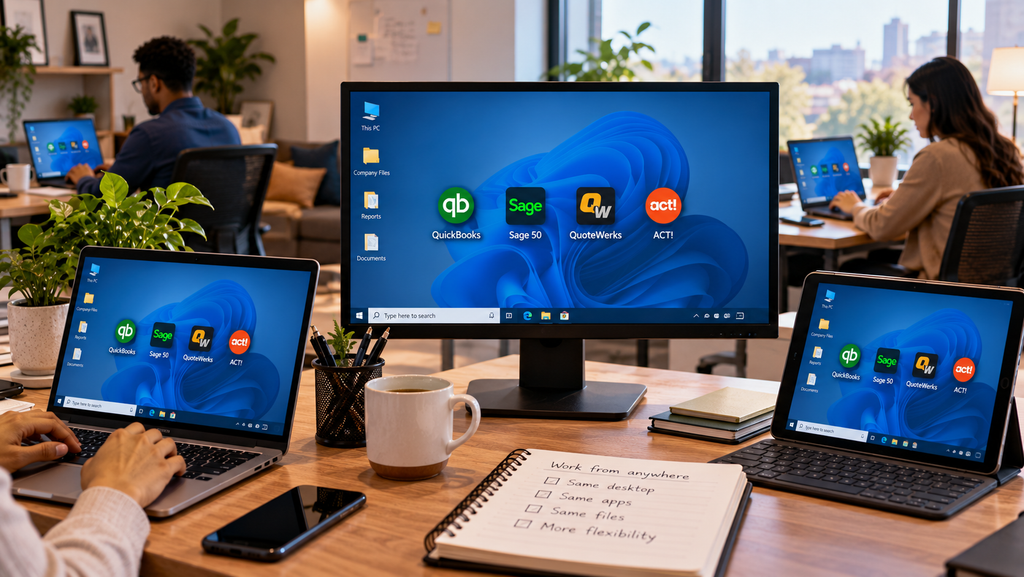
Virtual desktop hosting, often sold as Desktop as a Service or DaaS, means your Windows desktop and the apps you run on it live on a cloud server, and you reach them from any device instead of a specific PC. Your accounting software, your files, your familiar desktop, all of it runs in a data center and shows up on your screen the same way it would locally. For a small business, that quietly solves a pile of problems at once: aging PCs stop mattering, the office server can go, and your team works from anywhere. The catch is that “virtual desktop” and “DaaS” get buried in jargon. This is the plain-English version, what it is, how it works, and when it earns its place.
What is virtual desktop hosting?
A virtual desktop is a full Windows desktop that runs on a server in a data center rather than on the computer in front of you. A provider hosts it, maintains it, and delivers it to you over the internet, which is the part the acronym DaaS is pointing at. You log in and see your desktop, your programs, and your data exactly as you left them. The device you are holding, whether a five-year-old office PC, a personal laptop, or a tablet, is really just the screen and keyboard. The work happens on the server.
The desktop lives in the data center. Your device is the window into it.
How a virtual desktop actually works
The setup is simpler than the terminology suggests. You install a small connection plugin on whatever device you already have. You log in to your hosted desktop with your own credentials. From there you work with the full desktop version of your applications, the same QuickBooks, Sage, QuoteWerks, or Act! you know, and your data stays in the data center, backed up and monitored. Nothing important sits on the local machine, so if that machine dies, you log in from another one and pick up where you left off. The provider handles the server, the patching, the backups, and the security in the background. Day to day, it feels like using your own computer, you open your programs, you work, you save, the difference is only that the computer doing the work is somewhere safer than under a desk.
Why a small business would choose it
The appeal comes down to what a small business no longer has to worry about. There is no server in the office to buy, secure, patch, or replace every few years. Aging PCs get a second life as terminals, since the heavy lifting moved to the cloud. Staff work from home, a second office, or the road with the same setup they have at their desk, and everyone is in the same current data rather than trading files. Security and backups come built into the service instead of being one more thing you hope someone remembered. And the cost turns from a lumpy hardware purchase every few years into a predictable per-user fee you can plan around. For a firm without a full-time IT person, that shift alone is often the reason to move.
What DaaS is good for, and what it isn’t
Virtual desktop hosting shines when you run real desktop software that a team needs from more than one place. Accounting and CRM applications, industry tools, anything that used to live on an office server, all of it fits naturally. It is also the clean answer when an old server or a fleet of aging PCs is due for replacement, because you retire the hardware instead of buying more.
It is worth being honest about the other side. A solo operator who works entirely in web apps, browser email, a web CRM, online storage, may not need a virtual desktop at all, since the browser already goes everywhere. DaaS earns its keep when you have desktop applications, more than one person, or data you would rather not have scattered across personal laptops. If that describes you, it fits. If it does not, a lighter setup may be all you need, and a good host will tell you so.
How it compares to the alternatives
It helps to set a virtual desktop next to the setups it replaces. A regular office PC or server keeps everything local, so you own the hardware, the patching, and the eventual replacement, and remote access is something you bolt on afterward. Remote-desktop or VPN into an office machine can work, but it leans on that machine staying on and healthy, and it often drags. Pure web apps are fine when your whole toolset lives in a browser, though most firms still run at least one desktop program that does not. A virtual desktop lands between them: the full desktop experience of a local PC, the anywhere access of the web, and no on-site hardware to keep alive. That middle ground is why it suits so many small businesses that have real software but no appetite for running their own server.
Where CloudTop Office fits
CloudTop Office provides virtual desktop and application hosting for small and medium businesses, with a focus on the accounting and sales software firms actually run: QuickBooks, Sage, QuoteWerks, and Act!, delivered on Microsoft Azure in U.S. regions with managed daily backups, multi-factor authentication, encryption, and 24/7 U.S.-based support. If you are replacing a server or moving your accounting stack to the cloud, our Virtual Server and QuickBooks Desktop hosting pages show how it comes together. If your needs run beyond that named-app stack, into broad vertical or line-of-business software, our sister brand CloudTop SaaS covers that wider ground. To see what a virtual desktop would look like for your team, get a personalized quote.
Virtual desktop hosting questions
What is the difference between a virtual desktop and DaaS?
They describe the same thing from different angles. A virtual desktop is the cloud-hosted desktop you log in to. Desktop as a Service, or DaaS, is the model where a provider hosts and manages that desktop for you and delivers it over the internet.
Can I use my existing computers?
Usually, yes. Because the work happens on the server, an older PC, a Mac, or a tablet mostly needs to run the connection plugin and reach the internet. That is what lets aging hardware keep serving as a terminal instead of being replaced.
Is a virtual desktop secure?
A well-run one is often more secure than an office setup, because the data sits in a monitored data center with encryption, multi-factor authentication, and managed backups, rather than on individual machines. As with any host, ask what controls and audits the provider maintains.
Does hosting replace my office server?
For most small businesses running accounting and business apps, yes. The applications and data move to the cloud, so there is no on-site server to maintain. If you run heavier line-of-business software beyond the usual accounting stack, that may be a broader project worth scoping separately.
How do I know if my business needs one?
If you run desktop applications, have more than one person who needs them, or want your data off scattered laptops and out of an aging server, a virtual desktop fits. If you live entirely in web apps as a solo user, you may not need one, and an honest host will say so.
Curious whether a virtual desktop fits your team?
A 15-minute call is enough to see how a virtual desktop would work for your apps, your team, and the hardware you already own.
Book a 15-min consult
Leave a Reply