

Your cyber-insurance renewal now asks whether you run unsupported software, and the answer affects your premium, your coverage, and whether a future claim gets paid. Underwriters have tightened sharply: an out-of-support operating system is a red flag, and answering the questionnaire carelessly can cost you coverage even if nothing ever goes wrong. The practical response is straightforward, get your systems current and be able to prove it. This guide is the “what to do” version, a checklist you can run before your next renewal so the question stops being a problem.
What to do before your next renewal
Work through these in the quiet weeks before your policy comes up, not in the scramble the week it is due.
If there is one line to remember, it is step four: proof, not promises. A few years ago you could tick “yes, we have MFA” and move on. In 2026, carriers want evidence that the controls you claim are actually in place, and “we plan to” is treated as a “no.”
The unsupported-software trap
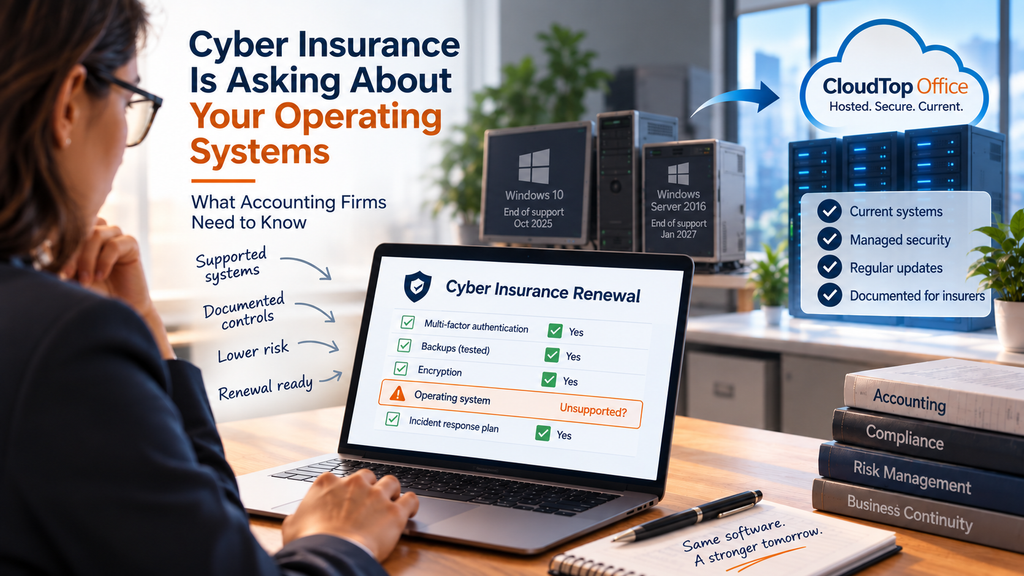
Here is why this landed on accounting firms specifically. Two deadlines pushed a lot of small firms into unsupported territory at once: Windows 10 reached end of support in October 2025, and Windows Server 2016 follows in January 2027. Once an operating system stops getting security patches, known holes stay open, and insurers treat that as exactly the elevated risk it is. Many carriers now add specific exclusions for unsupported software and unpatched systems, and some apply coinsurance that shifts more of the loss onto you the longer a system stays out of date. The result is that an aging machine you kept “because it still works” can quietly become the reason a claim is reduced or denied. If the deadlines themselves are what you are wrestling with, our guides on Windows 10 end of support and Windows Server 2016 end of support lay out the options.
How hosting helps you answer “yes, we’re current”
Hosting your accounting software is one clean way to take the unsupported-system question off the table for the systems that matter most. When your QuickBooks, Sage, or Act! runs in a hosted environment, the provider keeps the underlying operating system and infrastructure patched and current, so those apps are no longer sitting on a box you forgot to update. You also get the controls the questionnaire asks about, multi-factor authentication, encryption, and managed backups, in a form you can actually document, plus a provider you can name. That combination is precisely what turns a nervous “we think so” into a confident, evidenced “yes.”
Be clear-eyed about the limit, though. Hosting your apps does not patch a separate, unsupported PC someone still uses for other work, that machine is still your responsibility and still a risk on the application. Hosting handles the accounting stack and the server behind it; you still handle your endpoints and your program. If you are weighing whether to keep an old office server alive at all, our guide on replacing an aging accounting server covers that decision, and the vendor-oversight side is in our piece on documenting your host in your WISP.
Why CloudTop Office
CloudTop Office has hosted accounting software since 2000 on Microsoft Azure in U.S. regions, with the operating systems and infrastructure kept current, plus managed daily backups, multi-factor authentication, and encryption you can point to on a renewal questionnaire. More than 500 businesses run their apps with us, backed by 24/7 U.S.-based support. Moving your accounting stack onto supported, documented infrastructure is usually a short project, and it removes one of the fastest-growing reasons firms get surcharged or denied. See how it works on our QuickBooks Desktop hosting and virtual server pages, or get a personalized quote.
This article is general information, not insurance advice. Cyber-insurance terms vary by carrier and policy, so confirm your specific requirements with your broker or insurer.
Cyber insurance and software questions
Why does cyber insurance ask about unsupported software?
Because unsupported operating systems and applications stop receiving security patches, so known vulnerabilities stay open. Insurers treat that as elevated risk, and many now ask about it directly or exclude losses tied to out-of-support systems.
Can a claim really be denied over unsupported software?
It can. Many policies now carry exclusions or coinsurance for unsupported systems, and a claim can also be challenged if an application answer turns out to be inaccurate. Wording varies by carrier, so read your policy and questionnaire closely.
What counts as unsupported?
Any system past its vendor’s end-of-support date. Common examples for accounting firms are Windows 10 (ended October 2025), Windows Server 2016 (ends January 2027), and QuickBooks versions past their discontinuation date.
How does hosting help with the renewal question?
It moves your accounting apps onto a maintained environment the host keeps patched, so those systems are supported, and it gives you documentable MFA, encryption, and backups. You still cover your own endpoints, but the accounting stack stops being the weak answer.
Should I tell my insurer if I can’t upgrade in time?
Yes. Work with your broker and disclose accurately. Honest disclosure keeps your coverage intact, while a false attestation gives an insurer grounds to rescind or deny a claim later, which is a worse outcome than a higher premium.
Renewal asking about unsupported software?
A 15-minute call is enough to see how hosting gets your accounting systems onto supported, documentable infrastructure before your next renewal.
Book a 15-min consult
Leave a Reply