

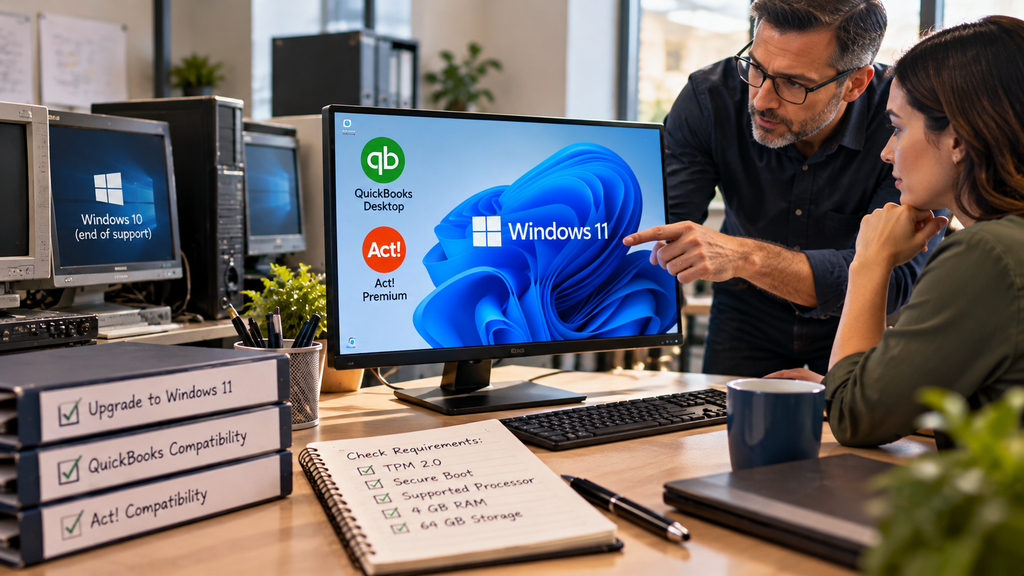
With Windows 10 support over as of October 2025, Windows 11 is where current QuickBooks and Act! are meant to run. Current QuickBooks Desktop, including Enterprise, and Act! Premium Desktop v27 both support Windows 11, 64-bit. So the software side is settled. The part that trips firms up is hardware: a lot of office PCs cannot run Windows 11, and that is where the real decision sits. This walks through how to tell whether your machines qualify, what to do if they do not, and where hosting fits into the choice.
Can your PCs run Windows 11?
Windows 11 has stricter hardware requirements than Windows 10 did, and older machines often fail them. The quickest way to check is Microsoft’s PC Health Check tool, which gives a yes or no in a click. It checks for four things.
- ●TPM 2.0, a security chip most PCs from roughly 2018 onward have, though it is sometimes switched off in the BIOS.
- ●Secure Boot enabled.
- ●A supported processor, roughly 8th-generation Intel or AMD Ryzen 2000 series and newer.
- ●4 GB of RAM and 64 GB of storage, which most machines clear easily.
Most PCs that fail do so on TPM or the processor. That is the line that often forces a decision.
If your PCs can run Windows 11
Then the path is short. You can upgrade an eligible machine to Windows 11 at no cost from a licensed Windows 10, and the only thing to confirm afterward is that your software version supports it. Current QuickBooks Desktop and Act! Premium Desktop v27 both do. Older releases may not, so if you are a couple of versions back, check compatibility before you assume it will just work. For most firms with reasonably current hardware and software, this is the whole task.
If they can’t
This is the more common situation, and it comes down to two routes. The first is to replace the machines with Windows 11 PCs, which solves the problem and refreshes hardware that was likely due anyway, at the cost of buying new computers per seat. The second is to host your QuickBooks or Act! and keep the old PC as a terminal. In that setup the software runs on a current, maintained Windows environment in the cloud, and the aging machine in your office just connects to it. You are not buying new PCs to keep your accounting and CRM software current, because the current Windows lives in the data center rather than under the desk.
Where hosting fits
Hosting is worth knowing about here precisely because the Windows 11 question is really a hardware question. If the only reason you were about to replace a fleet of PCs is that they cannot run Windows 11, and the main thing they run is QuickBooks or Act!, hosting lets those machines keep serving as terminals while the software sits on a system someone else keeps current. It will not fix a PC you also use for other software that needs Windows 11, that machine is still your responsibility, so this helps most when the accounting and CRM apps are the reason you were upgrading in the first place. We covered the same decision from the Windows 10 angle in our guide on Windows 10 end of support, and our QuickBooks Desktop hosting page shows how the hosted setup works.
Windows 11 and QuickBooks questions
Does QuickBooks Desktop work on Windows 11?
Current versions do. QuickBooks Desktop 2024 and Enterprise support Windows 11, 64-bit. Older versions may not, and since Windows 10 support ended in October 2025, Windows 11 is now the current platform for running QuickBooks Desktop.
Can I avoid buying new PCs just for Windows 11?
If your PCs qualify, upgrading to Windows 11 is free. If they do not, hosting your QuickBooks or Act! lets an older machine keep working as a terminal while the software runs on a current, maintained Windows environment, so you are not replacing hardware only to keep those apps current.
Book a 15-minute call → if your PCs can’t run Windows 11 and you’d rather not replace them to keep QuickBooks or Act! current.
Leave a Reply