

Short answer: yes, you can run AI bookkeeping tools inside hosted QuickBooks Desktop, as long as the tool actually supports Desktop, and a hosted environment is a sensible place to do it. The tool and your QuickBooks run together in one managed space, and your data stays where you control it. One thing worth knowing up front: most AI bookkeeping tools in 2026 are built for QuickBooks Online, not Desktop. So the real work is sorting which tools fit, how they connect, and what happens to your client data when they do.
Most AI tools are built for QuickBooks Online
AI bookkeeping tools lean on live bank feeds and cloud connections, and that is the world QuickBooks Online and Xero live in. Desktop is file-based, so a tool built around a constant online feed often has no clean way to plug in. Vendors who cover both will say so plainly, but plenty assume you are on the online product. The result is a split market: a large set of tools that only connect to the cloud versions, and a smaller set that works with Desktop, usually by syncing directly or by producing a file you import. Knowing which side a tool sits on is the first thing to check.
Which AI tools work with QuickBooks Desktop?
A real subset does, just fewer than the marketing suggests. You will find Desktop support more often in specific categories: spend and expense tools that push coded transactions back into Desktop, coding tools that turn a month of bank activity into a Desktop-ready import, and reporting tools that read your data for dashboards and analysis. The pattern is that these tools either sync to Desktop directly or hand you an export to bring in, rather than relying on the live feed the online tools assume. A logo on a vendor’s page is not confirmation on its own. Confirm your exact edition and year with the vendor before you put a client on any of it, because support varies by release.
How hosting fits with AI and Desktop
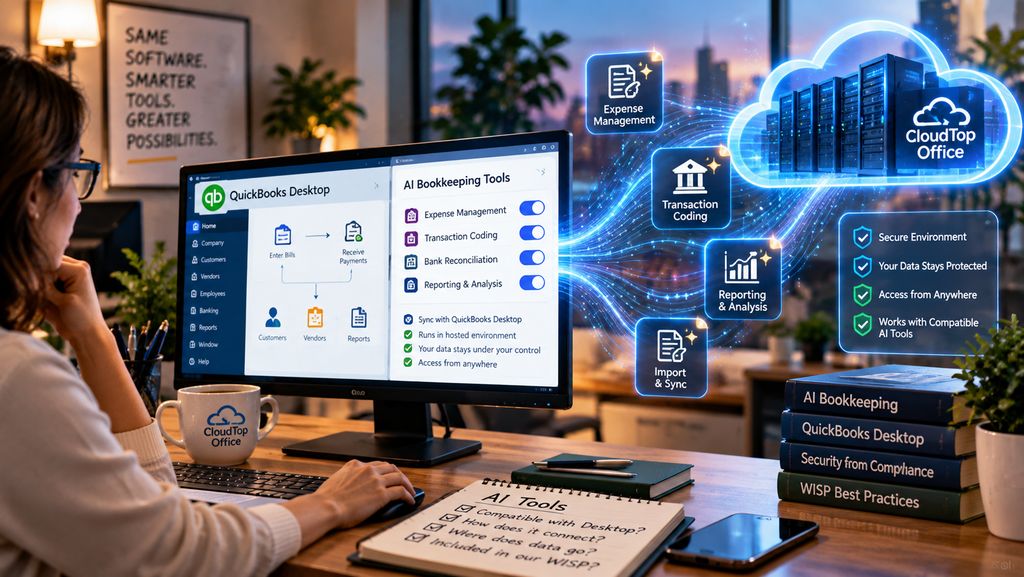
If you are running Desktop for its depth and want AI tools alongside it, hosting is one way to run them together. Your QuickBooks and the compatible tools sit in the same managed cloud environment, so there is no juggling a local install here and a web tool there, and your team reaches all of it from anywhere. Your client data also lives inside an environment you control rather than scattered across personal machines, which is a sensible starting point for anything touching financial records. For firms that want the full Desktop feature set with an AI-assisted workflow on top, that combination is one reason they choose hosting. You can see how the environment is built on our QuickBooks Desktop hosting page.
Before you add an AI tool, check these
Using AI on client financials calls for some caution. Run through this before you connect anything.
That last point catches firms off guard. An AI vendor processing your clients’ financial data is exactly the kind of service provider the FTC Safeguards Rule expects you to vet and record. We cover that side in our guide on documenting your vendors in your WISP. Adding AI to your workflow does not remove that duty. It adds a vendor to the list.
Why CloudTop Office
CloudTop Office hosts QuickBooks Desktop and the third-party tools that work with it on Microsoft Azure in U.S. regions, with managed daily backups, multi-factor authentication, encryption, and 24/7 U.S.-based support. Our team knows the application, not just the server, so we can help you run Desktop-compatible add-ons in the same environment and keep your data in one controlled place. To talk through which tools fit your setup, get a personalized quote.
AI and QuickBooks Desktop questions
Can AI bookkeeping tools work with QuickBooks Desktop?
Some can, but most are built for QuickBooks Online. A smaller set supports Desktop, often through a direct sync or a file export you import. Confirm Desktop support, and your exact edition and year, with the vendor before you commit a client.
Does hosting let me run AI tools with Desktop?
Yes. A hosted environment runs your QuickBooks Desktop and the compatible AI tools together in one place, reachable from anywhere, with your data in a managed environment rather than spread across local machines.
Is it safe to use AI tools on client financial data?
It can be, with care. The AI vendor becomes a service provider handling client data, so you need to know what it stores and where, and document it the same as any vendor under your WISP. Treat convenience and due diligence as a pair.
Does QuickBooks Desktop have built-in AI?
Intuit’s recent AI work, including Intuit Intelligence and its ChatGPT and Claude integrations, centers on QuickBooks Online. Desktop gets some automation, but the newer AI tooling is mostly built around the online product, which is why Desktop users look to third-party tools.
Will hosting make a QuickBooks Online AI tool work with Desktop?
No. If a tool only supports QuickBooks Online, hosting your Desktop will not change that. Hosting runs the tools that already support Desktop, alongside your software, rather than bridging a tool that was never built for it.
Want AI tools and QuickBooks Desktop in one secure place?
A 15-minute call is enough to see how hosting runs your Desktop and the AI add-ons that support it, in one managed environment.
Book a 15-min consult
Leave a Reply