

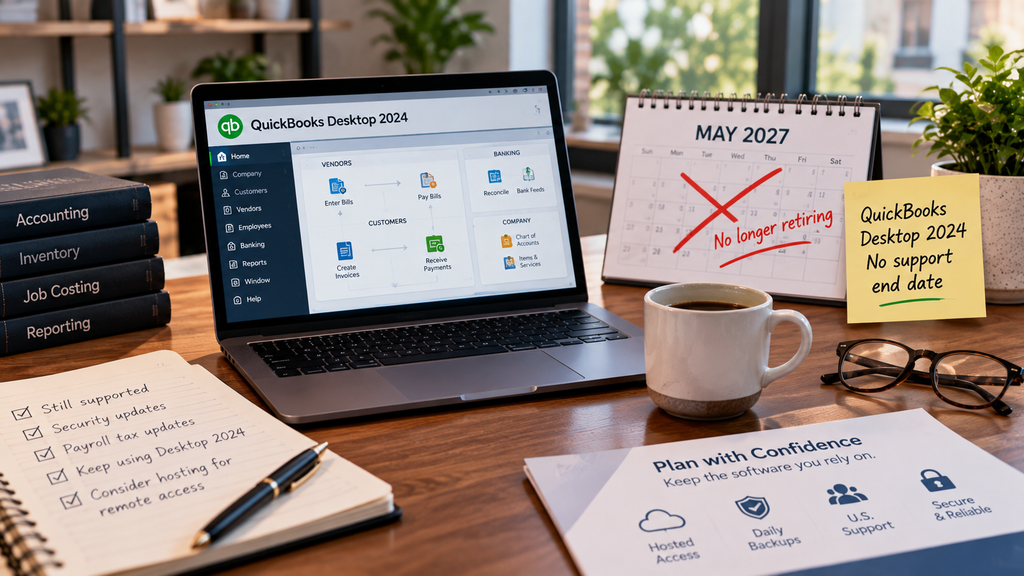
The QuickBooks Desktop 2027 deadline is gone. In August 2026, Intuit reversed its plan to retire QuickBooks Desktop 2024 in May 2027, and version 24.0 now has no support end date. If you run Desktop 2024, you can keep using it without a forced migration. The catch is what didn’t change. Renewal prices keep climbing, no new versions are coming, and every release before 2024 is already unsupported. So the real question is no longer whether you can stay on Desktop. It’s how to run it safely now that Intuit has stopped pushing you off it.
What did Intuit change in August 2026?
Intuit moved QuickBooks Desktop 2024 off its usual three-year support lifecycle. The company now says version 24.0 won’t be discontinued in May 2027 and that it will keep it up to date for years to come, with no sunset deadline. Instead of forcing you onto a new Desktop version every year, Intuit will deliver security patches, payroll tax updates, and fixes through periodic in-product updates. For firms that depend on Desktop’s depth, its inventory, job costing, and industry-specific reports, this is genuinely good news. The migration clock that hung over the last two years is off.
What the reversal does not change
The reversal applies to one version, and it doesn’t undo the rest of Intuit’s changes. The biggest one is that older releases are already dead. Once a version loses support, everything that touches Intuit’s servers stops working: payroll tax tables, bank feeds, direct deposit, and QuickBooks Payments. If you’re running 2023 or earlier, you’re exposed today, not in some future year. This is where each release stands.
QuickBooks Desktop support status as of late 2026. Confirm current details on Intuit’s official page.
Two other things stayed the same. Prices keep rising: renewals for a single-user Pro Plus subscription climbed twice in 2026, reaching $1,351 per year as of October 1, up from $999, so you’re paying more each year for a product that no longer gains new versions. And no new features are coming. Desktop 2024 is the final annual release, and its updates cover security and compliance, not capabilities. In practice, you’re settling in on a stable, supported, but frozen product.
Should you stay on Desktop 2024, move to QuickBooks Online, or go Enterprise?
There’s no single right answer, and we’d rather be straight with you than push one path. Staying on Desktop 2024 makes sense when your workflows, add-ons, and reporting depend on the desktop feature set. With the deadline gone, that’s now a viable long-term choice rather than a stopgap. QuickBooks Online is worth a serious look if you’re a smaller business with straightforward books and you want anywhere access built in. For some micro-businesses it’s genuinely the better fit, and we’ll tell you when that’s the case. And if you’ve outgrown Pro or Premier and need higher list limits and advanced reporting, Enterprise remains the Desktop product Intuit still sells to new customers, at Enterprise pricing.
Why hosting is the low-risk way to keep QuickBooks Desktop
Keeping Desktop 2024 solves the software question. It doesn’t solve where the software runs. Most firms still have it installed on an aging office server or a single workstation, which means local backups, VPN headaches, patching, and no easy remote access. Hosting closes that gap. With hosted QuickBooks Desktop, your licensed 2024 software runs on a managed, U.S.-based cloud server you reach from any device. You keep the full desktop program and your add-ons, and you gain what a frozen local install can’t offer: automated daily backups, multi-factor authentication, encryption, and 24/7 U.S. support from people who know the application, not just the server. If your hardware is due for replacement anyway, our virtual server hosting retires the box entirely. The reversal makes staying on Desktop a real strategy, and hosting makes staying on it safe.
QuickBooks Desktop questions
Is QuickBooks Desktop being discontinued?
Not for version 2024. In August 2026 Intuit canceled the planned 2027 cutoff, so Desktop 2024 has no support end date and keeps receiving updates. Versions from 2023 and earlier are already unsupported.
Does QuickBooks Desktop 2024 still get support?
Yes. Intuit provides security patches, payroll tax updates, and fixes through periodic in-product updates, with no announced end date.
How much does QuickBooks Desktop cost now?
A single-user Pro Plus renewal is $1,351 per year as of October 1, 2026, up from $999 earlier in the year. Enterprise is priced higher, at Enterprise tiers.
Can I still use QuickBooks Desktop 2023?
The software still opens, but support ended May 31, 2026. Bank feeds, payroll tax tables, direct deposit, payments, and security updates are switched off, which makes it risky for live books.
Is hosting QuickBooks Desktop worth it now that there’s no 2027 deadline?
For many firms, yes. The deadline is gone, so keeping Desktop long term makes sense, and hosting adds remote access, daily backups, security, and U.S. support that a local install can’t match.
Staying on Desktop? Run it somewhere safer than the office server.
A 15-minute call is enough to see how hosted QuickBooks Desktop would work for your version, your add-ons, and the hardware you already own.
Book a 15-min consult
Leave a Reply