

To give your team Act! CRM remote access, you have three main options: hosted Act! Premium Desktop, Act’s own Advantage Cloud, or a VPN and remote desktop into your office server. They all get people into Act! from outside the office, but they differ in features, effort, and one thing that matters more than any of them for a distributed team, whether everyone is working from the same live database or from copies that drift apart. Get that part right and remote access is simple. Get it wrong and you spend your week reconciling versions. Here is how the options compare and how to match one to the way your team actually works.
The real goal: one live database
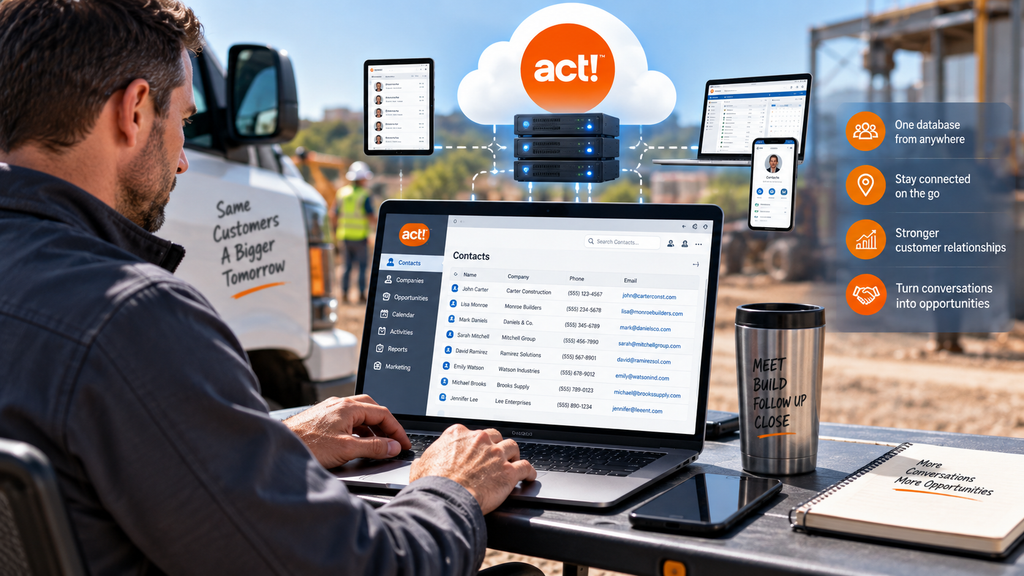
The oldest way to give Act! to remote users was synchronization: each person carried a copy of the database that periodically merged back to the main one. It works, but copies drift, syncs conflict, and someone always ends up wondering which version is right. For a field or hybrid team, that is the failure mode to avoid. Real remote access means everyone signs into the same current database at the same time, so a note a rep adds in the field is instantly the note the office sees. When you evaluate the options below, that is the question to hold onto: does this keep us on one live database, or does it hand us copies to reconcile? Picture a rep who updates a deal from a client’s parking lot and a coordinator who logs a call from the office ten minutes later. On one live database, both changes simply stick, in order, with no merge step and no “which copy is right” conversation at the end of the week.
Your remote-access options
Hosted Act! Premium Desktop. Your full Act! runs on a managed cloud server, and everyone logs into the same live database from any device. You keep the complete feature set, your custom fields, layouts, reports, and add-ons, and there is no syncing because there is only one database. This is the option that most cleanly meets the one-live-database test.
Act! Advantage Cloud. The vendor’s browser-first edition, which Act hosts for you, with an optional offline Windows client that syncs when you reconnect. It is genuinely convenient and needs no IT, but it is lighter than the desktop on power-user features like the built-in word processor, mail merge, and building custom reports, so heavier Act! users can feel boxed in.
VPN and remote desktop. Reps connect over a VPN and remote into a machine running Act! at the office. It can work if you already run an always-on server and have IT to keep it patched and secure, but you own all of that, and performance rides on your office hardware and connection.
Match the setup to your team
Why hosted Act! fits most field and hybrid teams
For teams that live in Act! rather than dip into it, hosting the full Premium Desktop tends to win because it gives you all three things at once: the complete feature set, true anywhere access, and one live database with no syncing. You are not trading depth for reach the way the browser edition asks you to, and you are not running a server and VPN the way the do-it-yourself route requires. CloudTop Office has worked with Act! since 1994, so we host the full desktop and know the product itself, not just the server it runs on. Your database runs on Microsoft Azure in U.S. regions with managed daily backups, multi-factor authentication, encryption, and 24/7 U.S.-based support. If you already run Act! with years of custom fields and layouts, they come with you to the hosted database untouched, so giving your team remote access does not mean rebuilding anything. See how it works on our Act! hosting page, or get a personalized quote for your team.
Act! remote access questions
What are my options for Act! remote access?
Three main ones: hosted Act! Premium Desktop, Act! Advantage Cloud, or a VPN and remote desktop into your office server. The right fit depends on which Act! features your team needs and how much setup you want to run yourself.
Does everyone see the same data with hosting?
Yes. With hosted Act!, everyone logs into one live database, so there are no copies to sync and nothing drifts out of date. A change a rep makes in the field is the same record the office sees a moment later.
Hosted Act! or Act! Advantage Cloud for remote work?
Hosted Desktop gives the complete feature set from anywhere, including the word processor, mail merge, and custom reports. Advantage Cloud is browser-first with an offline sync client but lighter on those power features, so heavier users usually prefer hosted Desktop.
Can field reps work offline?
Act! Advantage Cloud has an offline client that syncs when reconnected. Hosted Desktop needs a connection but gives the full CRM live, and since most field reps have connectivity most of the time, that trade usually favors the full feature set.
Do I need to run a server for remote access?
Not with hosted Act! or Advantage Cloud, since the provider runs the infrastructure for you. Only the do-it-yourself VPN route requires your own always-on office server, plus the patching and security that come with it.
Want your Act! reachable from anywhere?
A 15-minute call is enough to match the right Act! remote-access setup to how your team actually works, field, hybrid, or somewhere in between.
Book a 15-min consult
Leave a Reply