

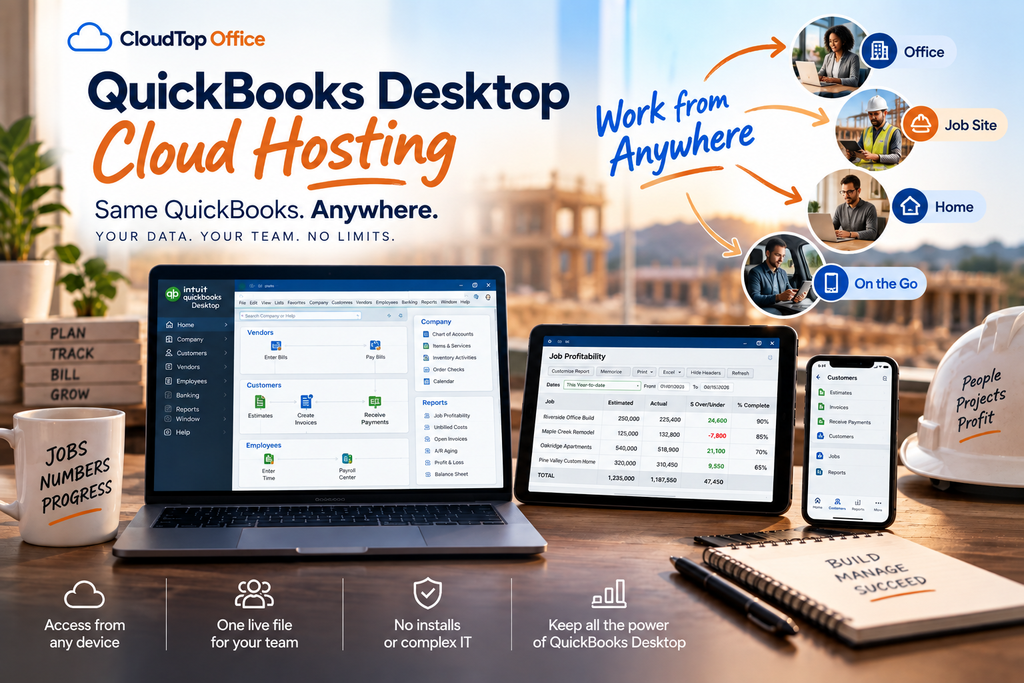
QuickBooks Desktop hosting means your licensed QuickBooks Desktop software runs on a managed cloud server you reach remotely, instead of on an office PC or local server. It is the same QuickBooks you already know, the same company file, the same features and add-ons, simply running in a secure data center you and your team log into from anywhere. Nothing about how QuickBooks looks or works changes. What changes is where it lives and who can reach it. This guide explains, in plain English, how hosting actually works, what you get with it, who it suits, and how to choose a provider, so you can decide whether it fits your business.
What is QuickBooks Desktop hosting?
Hosting takes the QuickBooks Desktop or Enterprise you run today and installs it on a cloud server that a provider manages for you. Your team connects to that server from any device and works exactly as they would on an office network, except the network is now in a data center rather than a closet down the hall. It is important to separate this from QuickBooks Online, which is a different, web-native product with a lighter feature set. Hosting is not a new version of QuickBooks and it is not QuickBooks Online. It is your full Desktop product, unchanged, made reachable from anywhere. If you are weighing the two paths, our guide to hosted QuickBooks versus QuickBooks Online covers the trade-offs in detail.
The reason hosting exists is simple. QuickBooks Desktop is powerful, but it was built to run on a local machine, which ties it to one location and one network. That is a poor match for how businesses work now, with remote staff, multiple offices, and people who need the books from the road. Hosting keeps the software’s depth while removing its biggest limitation.
A common question is how you actually connect. Most hosts deliver QuickBooks as a virtual desktop or a published app through technology like Citrix or Parallels, which means each user installs a small connection plugin rather than QuickBooks itself. You log in, and QuickBooks appears on your screen as if it were local, while the software and your data stay on the server. That is why a modest laptop, or even a tablet, can run a heavy QuickBooks Enterprise file smoothly: the real work happens in the data center, not on your device.
How QuickBooks Desktop hosting works
The setup is more straightforward than most people expect. Here is the sequence from start to working.
From the user’s side, day-to-day life barely changes. You open QuickBooks, you see your file, you work. The difference is that the person at home, the accountant across town, and the owner traveling are all in that same file at the same time, and there is no server in your office to maintain.
As for getting there, moving to hosting is usually a short, planned project rather than a disruptive overhaul. The data copy itself is quick; most of the timeline goes into installing your add-ons, testing your workflows, and setting up user logins before you switch over, so the day you go live tends to feel routine rather than risky.
What you actually get
“Hosting” can sound vague, so here is what a proper hosted QuickBooks plan includes.
- ✓The full QuickBooks Desktop or Enterprise software, running in the cloud
- ✓Server resources sized to your users and company file
- ✓Managed daily backups
- ✓Multi-factor authentication and encryption
- ✓A data center, ideally in the U.S., with real security controls
- ✓Support for your third-party add-ons and integrations
- ✓Anywhere, multi-user access, with 24/7 support from a good provider
The word “proper” is doing real work in that sentence, because not every host includes all of it, or does each part well. A few things vary a lot between providers and are worth asking about directly: whether support actually understands QuickBooks or only the server, whether pricing is transparent and per-user, whether the company is an Intuit Authorized Commercial Host, and where your data physically sits. Those differences are the whole reason the next two sections exist.
It is worth understanding the “sized to your users and file” point, because it drives both performance and price. A hosted plan allocates processing power, memory, and storage based on how many people are in the file and how large it is. A two-person firm with a lean file needs far less than a fifteen-person firm running an inventory add-on against a multi-gigabyte file. Good hosting matches the resources to the load, which is what keeps performance steady, especially during busy periods like month-end and tax season.
Hosting, a local server, or QuickBooks Online?
It helps to see the three common paths side by side. A local server keeps QuickBooks in your office, which gives you full control but means you buy, secure, patch, and eventually replace the hardware, and remote access becomes a project of its own. QuickBooks Online moves you to a different, web-native product that trades Desktop’s depth for browser convenience. Hosting sits between them: you keep the exact Desktop software and all its depth, gain the anywhere access of the cloud, and hand the server, security, and backups to a provider. For a business that needs Desktop’s features but not the burden of running its own server, that middle path is usually the point of least regret.
Who QuickBooks hosting is for, and who it isn’t
Hosting is a strong fit for businesses that rely on QuickBooks Desktop or Enterprise features and need more flexibility than a single office PC allows. That includes accounting and bookkeeping firms with remote or hybrid staff, companies with multiple locations, businesses running add-ons that only work with Desktop, and anyone tired of maintaining an aging server. If you have people who need the books from outside the office, or several users in the file at once, hosting earns its keep. Our guide on QuickBooks multi-user hosting digs into the shared-versus-dedicated question if that is your situation.
It is only fair to say who hosting is not for. A solo micro-business with simple books, one user, and no need for Desktop-specific features may be perfectly well served by QuickBooks Online, and paying to host Desktop would add cost without adding much value. The honest test is whether you actually need the Desktop product. If you do, and most firms with real inventory, job costing, or add-ons do, hosting is how you keep it and still work anywhere. If Intuit’s sunsetting of older Desktop versions is what brought you here, our guide on keeping QuickBooks Desktop after support ends is the companion piece.
How to choose a QuickBooks hosting provider
Once you have decided hosting fits, the provider matters more than the category. Hosts look similar on a features page and differ sharply in practice. A few things separate a good one:
- Intuit Authorized Commercial Host status. This confirms the provider is licensed by Intuit to host QuickBooks, which not every host is.
- Software expertise, not just servers. When a QuickBooks error or an add-on issue hits, you want a team that can fix the application, not one that only reboots the machine.
- Real, ideally U.S.-based support. Ask who answers, how fast, and at what hours, because you will need them during your busiest weeks.
- Add-on and integration support. Confirm they will host and support the third-party tools your workflow depends on.
- Security you can document. Encryption, MFA, a U.S. data center, and backups, which also help if you have WISP or FTC Safeguards obligations.
- Transparent, per-user pricing. You should be able to understand what you pay for and why, without hidden fees.
Why CloudTop Office
CloudTop Office has hosted accounting software since 2000. We are an Intuit Authorized Commercial Host with direct access to Intuit Tier-3 support, our U.S.-based team troubleshoots the software itself rather than just the server, and more than 500 businesses run their apps with us on Microsoft Azure in U.S. regions, with managed daily backups, multi-factor authentication, encryption, and 24/7 support. We size each plan to your users, file, and add-ons instead of selling a one-size package. You can see the details on our QuickBooks Desktop hosting page, read common setup questions in our hosting FAQ, or get a personalized quote built around your business.
QuickBooks Desktop hosting questions
What is QuickBooks Desktop hosting?
It is your licensed QuickBooks Desktop or Enterprise software running on a managed cloud server you reach remotely, instead of on an office PC. Same software, same file, same features, just accessible from anywhere and maintained by the host.
Is hosted QuickBooks the same as QuickBooks Online?
No. QuickBooks Online is a separate, web-native product with a lighter feature set. Hosting runs your actual Desktop product in the cloud, so you keep its full depth rather than switching to a different application.
Do I keep my QuickBooks version, data, and add-ons?
Yes. Your company file, history, customizations, and third-party add-ons all move to the hosted environment and work as they do now. Hosting changes where QuickBooks runs, not what it is.
Can multiple users work at the same time?
Yes. Several people can work in the same live file at once, exactly like a local multi-user network, except everyone can be in different locations. Performance depends on sizing the plan to your user count and file.
Is my data safe in a hosted environment?
A good host provides encryption, multi-factor authentication, a secure data center, and managed backups, which is often stronger than an office server. Ask any provider what controls and audits they maintain, and keep that documentation for your records.
How much does QuickBooks hosting cost?
Hosting is usually a per-user monthly cost on top of your QuickBooks license, and it varies with your users, add-ons, and resources. Rather than a fixed sticker price, a good host quotes based on your actual setup, so the number reflects what you use.
Thinking about hosting your QuickBooks Desktop?
A 15-minute call is enough to see how hosting would work for your setup and what it would include.
Book a 15-min consult
Leave a Reply