

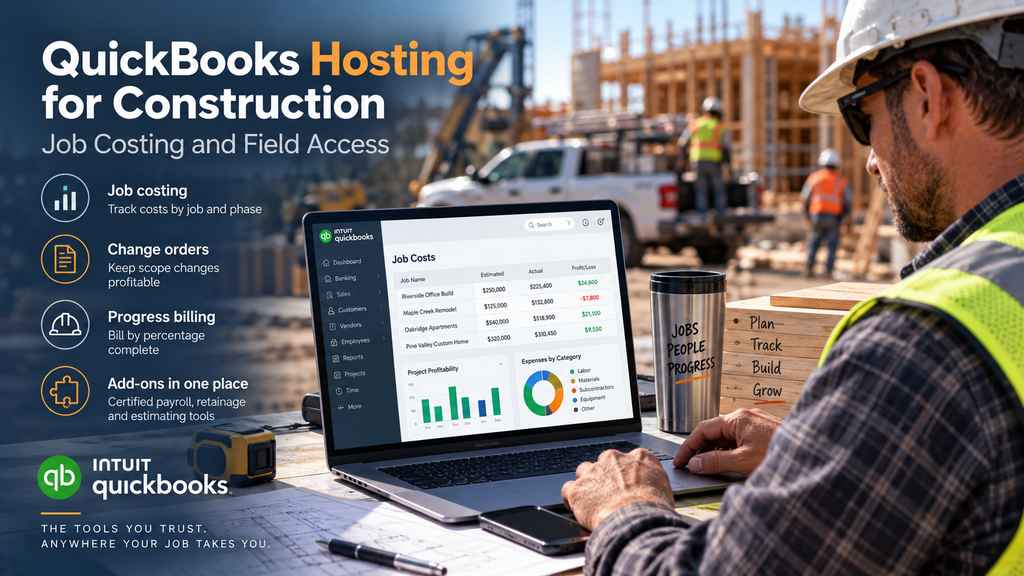
QuickBooks hosting for construction keeps the job costing, change orders, and progress billing that contractors depend on in QuickBooks Desktop or Enterprise, and puts that live file within reach of the office, the project managers, and the field at the same time. Construction accounting is unforgiving: margins hide in the details of each job, and the people who need the numbers are rarely at the same desk. Hosting solves both halves of that; it preserves the Desktop depth that construction runs on, and it makes the file reachable from the trailer, the truck, or the site. Here is why contractors stay on Desktop, and what hosting adds once they do.
Why contractors stay on QuickBooks Desktop and Enterprise
Construction is where QuickBooks Online tends to run out of road. Contractors live in job costing, tracking labor, materials, and subs against each job and phase, then comparing the estimate to the actual to find out whether a project made money or quietly lost it. QuickBooks Desktop, and especially the Enterprise Contractor edition, handles that depth: detailed cost tracking, change orders, progress invoicing, and construction-focused reports. The online version’s project tools are lighter, and a firm running real job costing usually outgrows them fast. That is why contractors are among the least likely businesses to leave Desktop, and why hosting, which keeps that exact software, fits the industry so naturally. The stakes are concrete: on a thin-margin job, a few uncosted change orders or a mis-tracked labor line is the difference between profit and a loss you only discover at closeout, and detailed job costing is what catches that in time.
Add-ons matter here too. Certified payroll, AIA billing, retainage tracking, and estimating tools all connect to QuickBooks Desktop rather than the online version, and hosting keeps that whole stack together in one environment instead of scattered across machines.
From the office to the jobsite
The second problem construction has is distance. The bookkeeper runs job costing at the office, the project manager is at a site across town, the owner is between meetings, and the field crew needs a budget number now, not after someone drives back. When QuickBooks sits on a single office PC, all of that waits on one machine. Hosting removes the bottleneck by putting one live file within reach of everyone who needs it.
Picture a normal Tuesday: a PM approves a change order from the trailer, the foreman checks the remaining budget on a phone before ordering materials, the office invoices progress on another job, and the owner pulls a profitability report from the truck. Everyone is in the same current file, so the numbers agree and nobody is working from a copy that is a day behind. For a business where a missed change order or a blown budget line shows up directly in the margin, that shared, real-time picture is worth as much as any single feature. It also ends the daily ritual of someone driving back to the office just to enter or check a number, which on a busy job is time nobody has.
What hosting adds for a construction firm
Hosting your QuickBooks gives a contractor the Desktop depth and the anywhere access at the same time, without a server sitting in a dusty job office waiting to fail. Your field team, PMs, and back office all reach the same file, your construction add-ons run in the same place, and multi-user access means several people can work at once without the slowdowns an aging office machine throws in mid-season. For a contractor, hosting also means the books survive a flooded job trailer or a stolen laptop, because the data lives in a data center rather than on a machine that follows the work into rough conditions. CloudTop Office has hosted accounting software since 2000, including for construction firms, on Microsoft Azure in U.S. regions with managed daily backups, multi-factor authentication, encryption, and 24/7 U.S.-based support. See how the setup works on our QuickBooks Desktop hosting page, or get a personalized quote built around your jobs and crew.
Construction hosting questions
Does QuickBooks handle construction job costing?
Yes. QuickBooks Desktop, and especially the Enterprise Contractor edition, handles job costing, estimates versus actuals, change orders, and progress invoicing at a depth QuickBooks Online does not match. That depth is exactly why contractors stay on Desktop.
Can my project managers and field crew reach the file?
Yes. Hosting puts one live file within reach of the office, project managers, and the field, so a PM can approve a change order from a site and a foreman can check a budget from a phone, all working from the same current numbers.
Does hosting support construction add-ons?
Yes. Certified payroll, AIA billing, retainage, and estimating add-ons run in the same hosted environment as QuickBooks, which is the kind of integration support most commodity hosts avoid.
Is QuickBooks Online enough for a contractor?
Usually not for a firm doing real job costing. The online version’s project tools are lighter than Desktop’s, so most contractors stay on Desktop or Enterprise and host it to add the field access the online version was offering.
Do I need Enterprise, or is Premier enough?
Premier has a Contractor edition with solid job-costing features for smaller firms. Enterprise adds capacity, more users, and advanced reporting for higher job volume. The right one depends on your team size and how many jobs you run at once.
Want your job costs on the jobsite, not just the office?
A 15-minute call is enough to see how hosting puts your QuickBooks and job costing within reach of the field.
Book a 15-min consult
Leave a Reply